
Phone or iPhone Getting Hot? Causes and What You Can Do
Phone or iPhone getting hot? When warmth is normal, how to cool your device down properly, what helps while charging and the signs that tell you a battery is dangerous.
iSmart Repair Hamburg · 28 October 2026
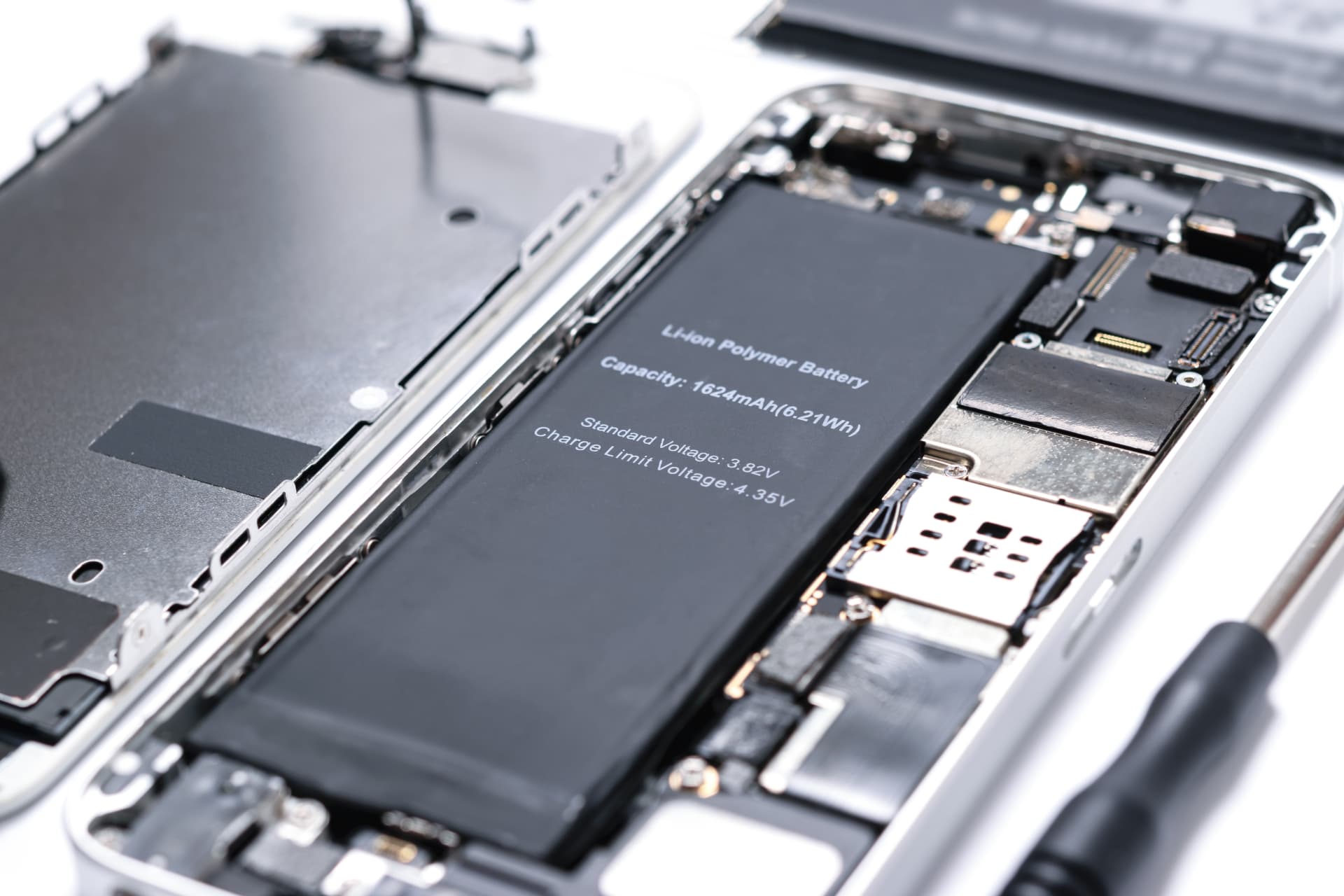
If your phone or iPhone gets hot, the usual causes are charging and using it at the same time, wireless charging, demanding apps such as games and navigation, direct sunlight, an insulating case or an ageing battery. Slight warmth is normal. If the device gets very hot even when idle, the casing bulges or a temperature warning appears, let it cool down and have it checked.
You are holding your phone and it suddenly feels warm, sometimes properly hot while charging. Many people then wonder whether this is dangerous and whether the battery is being damaged. In our 3 Hamburg stores, overheating phones are one of the issues we see most often, especially in summer and after major updates. This guide explains when warmth is completely normal, which causes lie behind a hot phone, how to cool it down properly and when the battery should be replaced.
How warm can a phone get?
A phone can get noticeably warm while charging, gaming, navigating or filming, and that is normal. Apple specifies an operating range of 0 to 35 degrees Celsius ambient temperature for iPhones. If the device gets too hot, it protects itself: it dims the screen, throttles performance, pauses charging or shows a temperature warning.
Every smartphone produces heat. The processor, graphics chip, wireless modules and battery all work in a very tight space, and there is no fan to carry the heat away. The casing acts as the heat sink. That is why the back feels warm under heavy load. What matters is the difference between warm and hot:
- Warm: while charging, gaming, recording video or navigating. Normal and harmless.
- Hot: uncomfortable to hold, especially without any obvious load. A sign that something is wrong.
- Temperature warning: the device is actively protecting itself. Let it cool down straight away.
Heat is the battery's biggest enemy. Lithium-ion cells age much faster at high temperatures. A phone that regularly gets hot therefore loses battery capacity sooner.
Phone getting hot: the 9 most common causes in 2026
The causes are listed by how often they occur. You can influence the first 7 through the way you use your phone, while the last 2 are jobs for the workshop.
1. Charging and using it at the same time
Charging produces heat in the battery, and demanding apps produce heat in the processor. Doing both at once, for example watching videos or gaming while plugged in, makes the temperature rise quickly.
2. Wireless charging
With wireless charging, part of the energy is lost as heat. If the phone is not placed exactly in the centre of the charging pad or sits in a thick case, it gets even warmer.
3. Demanding apps
Games with elaborate graphics, navigation with the screen switched on, 4K video recording and video calls push the processor and graphics chip to the maximum. Heat is the normal result.
4. Sun and hot surroundings
On the dashboard, at the beach or on the balcony table, the sun heats the device up even further. Behind a windscreen it can very quickly become dangerously hot.
5. Insulating case
Thick silicone or leather cases and flip cases keep the heat inside the device. During normal use that is fine, while charging or gaming it becomes a problem.
6. Weak signal
When reception is poor, the phone transmits at higher power and constantly searches for a better mast. That costs energy and produces heat, especially in basements, trains and tunnels.
7. Phase after an update or setup
After a system update or when setting up a new device, the phone works in the background on photos, files and backups. Apple points out that an iPhone may feel warmer during this time. This settles down after a few days.
8. Ageing battery
A worn battery has higher internal resistance and gets warmer while charging and under load than a new one. If you also notice shorter battery life, it is worth checking the battery health.
9. Faulty battery or short circuit
If the phone gets hot even when idle and unplugged, there may be a fault in the battery or on the logic board, for example after a drop or liquid damage. That is clearly a job for the workshop.
Phone gets hot while charging: what to do?
If your phone gets hot while charging, take off the case, place the device on a hard, cool surface and leave it alone while it charges. Use a certified power adapter, avoid charging under cushions or in the sun and, if you charge wirelessly, switch to a cable as a test. If the device still stays hot, the battery should be checked.
Some warmth while charging is normal, especially with fast charging and during the first few minutes when the battery is low. These 6 measures lower the temperature noticeably:
- Take off the case so the heat can escape through the casing.
- Place it on a hard surface, such as a table, and keep it off beds, sofas and cushions.
- Avoid gaming or streaming at the same time.
- Use a certified power adapter and cable, ideally from the manufacturer or with a safety certification mark.
- Try a cable instead of a charging pad if wireless charging heats the device up a lot.
- Keep it out of the sun while charging, including by the window or in the car.
A note for iPhone users: if the iPhone gets too warm while charging, iOS may stop charging at 80% until the temperature has dropped. This is a protective feature, so nothing is broken. If your phone no longer charges at all, the guide Phone not charging? 9 causes and what you can do now will help.
How do I cool down a hot phone properly?
To cool down a hot phone properly, unplug it, take off the case, close all apps that need a lot of power and leave it in a shady, airy place at room temperature. Fridges, freezers, cold water and ice packs are off limits, because condensation can form inside the device.
Here is how to do it step by step:
- Unplug the charging cable and take the device off the charging pad.
- Take off the case.
- Close power-hungry apps, such as games, the camera and navigation.
- Switch on Airplane Mode if you do not need the phone right now. This takes the load off the wireless modules.
- Put it in the shade, on a hard, cool surface at room temperature.
- Be patient. Let the device cool down slowly and only use it again once it feels normal.
What you should never do
- Never put it in the fridge or freezer. The rapid temperature change makes moisture condense inside.
- Never cool it with cold water or ice. Even water-resistant devices cope badly with temperature shocks.
- Never blow into the openings with a hairdryer or compressed air. This pushes dust into the port and speakers.
- Stop charging while the device is hot.
Phone constantly getting hot? We check the battery for free.
No appointment needed at one of our 3 stores in Hamburg: Grindelhof 7, Lange Reihe 2 near central station (Hauptbahnhof) or Ballindamm 40 in the Europa Passage. Battery replacement from €29, fixed price before the repair.
iPhone getting hot: temperature warning and special features
An iPhone that overheats shows a message saying it needs to cool down before you can use it. Until then, only emergency calls are possible. Before that point, iOS already reduces screen brightness, slows down charging and may restrict the camera flash or performance. Apple names 0 to 35 degrees Celsius as the ideal ambient range.
Apple distinguishes between operation and storage. In use, the iPhone is happiest at an ambient temperature of 0 to 35 degrees Celsius, and it may be stored between minus 20 and plus 45 degrees Celsius. In a car in summer, these values are quickly exceeded.
These protective features kick in when it gets hot
- Charging slows down or pauses, often at 80%.
- The screen gets darker or can no longer be set to full brightness.
- The mobile network connection switches to a low-power state, and reception may get weaker.
- The camera flash is temporarily disabled.
- Performance is throttled, and apps and games run more slowly.
If the temperature warning appears, let the iPhone cool down switched off or in sleep mode. Once it has cooled down, it works normally again. If the warning appears often, even without sun and heavy load, you should have the battery checked.
Which app is making my iPhone hot?
Under Settings > Battery you can see which apps used the most energy over the last 24 hours and 10 days. An app with very high background usage is often the source of the heat as well. Update it or restrict its Background App Refresh.
iPhone getting hot and battery draining fast: what is behind it?
If your iPhone gets hot and the battery also drains quickly, either an app or a system process is running constantly in the background, or the battery has aged and heats up more because of its higher internal resistance. The battery usage statistics and Battery Health in Settings show you which of the two applies.
This combination is a typical pattern that we often see in the workshop. Here is how to narrow it down:
- Check the battery usage: is there an app with unusually high background usage?
- Check Battery Health: is the Maximum Capacity below 80%?
- Consider the update phase: was a major update installed in the last few days?
If an app is the cause, updating it or restricting its Background App Refresh will help. If the battery is worn out, a battery replacement restores battery life and reduces the heat build-up. You will find all causes and settings for longer battery life in the guide Phone battery draining fast.
Samsung and Android phones getting hot: what is different?
Samsung Galaxy and other Android phones protect themselves from heat in a similar way to the iPhone: they throttle performance, pause charging and show a notice when the temperature gets too high. On Samsung phones you will find the usage per app under Settings > Battery, which helps you spot heat sources running in the background.
Some points apply specifically to Android devices:
- High refresh rate: 120 Hz screens look smoother, but they use more energy and produce more heat. On Samsung phones, you can set Motion smoothness to Standard.
- Fast charging: Super fast charging heats the device up more. In hot conditions it can make sense to switch off fast charging temporarily in the charging settings.
- Apps from unknown sources: apps from outside the Play Store can be faulty or harmful and put a constant load on the device.
- Device care: on Samsung phones, the optimisation feature in the Battery and device care settings helps you identify apps that are behaving unusually.
Phone getting hot in typical everyday situations
Most phones get hot in 5 everyday situations: navigating in the car, during video calls, while gaming, when taking photos and filming in the sun, and in your trouser pocket with poor reception. In each of these situations a different measure helps to bring the temperature down.
Navigation in the car
Navigation combines a permanently switched-on screen, GPS, mobile data and often charging at the same time. If the phone then sits in a mount behind the windscreen in the sun, it quickly gets hot. A mount on the air vent works better, as the air conditioning cools the device, together with a dimmed screen. Only charge while driving if the battery is really running low.
Video calls
During video calls, the camera, screen, processor and wireless module all work at the same time. On long calls, this makes the phone noticeably warm. Put it down on a surface so you do not have to hold it, take off the case and connect to Wi-Fi instead of the mobile network where possible.
Gaming
Demanding games push the graphics chip to the maximum. Many games offer lower graphics settings or a capped frame rate in their settings. This reduces heat noticeably while keeping most of the fun. Try to avoid gaming while plugged in.
Taking photos and filming in the sun
High-resolution video recording produces a lot of heat, and the sun heats the device up even further. Give your phone breaks in the shade between long recordings. If it gets too hot, the iPhone, for example, restricts the flash or dims the screen.
Trouser pocket with poor reception
Body heat builds up in a tight trouser pocket, and with a poor signal the phone keeps searching for a better mast. Together, these two factors can make a device surprisingly warm, even though you are not using it at all. If you expect no reception, for example in basements or on longer tunnel sections, Airplane Mode helps.
Running in summer
When jogging or cycling, the phone often sits in an armband or belt bag right against your warm body, and on top of that come the sun and music streaming. Download playlists in advance so your phone does not have to stream data on the go, and use a holder that lets some air reach the device. After your workout, put the phone in the shade to cool down before you plug it in to charge.
Phone getting hot after a drop or water contact
If a phone gets hot after a drop or after contact with water even though it is hardly being used, a short circuit on the logic board or a damaged battery may be behind it. Stop charging this device, switch it off and have it checked promptly, because otherwise the damage can spread.
A drop can deform the battery or damage internal connections. Liquid leads to leakage currents and corrosion on the logic board. In both cases, current flows where it should not and produces heat. Typical accompanying symptoms are a battery that drains faster, a flickering screen or a device that switches itself off. What to do in the first few minutes after water damage is explained in the guide Phone dropped in water? 7 immediate steps that save your phone.
Can malware make a phone hot?
Malware can make a phone hot if it constantly runs calculations, sends data or loads ads in the background. On iPhones this is rare thanks to the closed app structure, and it is more common on Android devices with apps from unknown sources. Signs include unusually high data usage and unknown apps in the battery usage statistics.
Before you think of malware, check the more obvious causes: faulty apps, ongoing updates, backups and poor reception. If you find an app in the battery usage statistics that you do not recognise or did not install, uninstall it. On Android devices, Google Play Protect helps detect harmful apps. As a rule, only install apps from the App Store or the Google Play Store.
When is a hot phone dangerous?
A hot phone is dangerous if it gets hot without load and without a charging cable, if the screen or back bulges, if it smells of chemicals or hisses, or if it becomes unusually warm after a drop or water contact. In these cases, stop charging it, stop using it and have the battery checked promptly.
A damaged lithium-ion battery can heat up severely. Take these 5 warning signs seriously:
- Heat when idle, without a charging cable and without any apps running.
- A bulging back or a lifting screen, a sign of a swollen battery.
- A chemical or sweetish smell coming from the device.
- Hissing or crackling.
- Heat after a drop or contact with liquid.
If any of these signs applies, place the phone on a non-flammable surface, such as tiles or stone, away from cushions, paper and curtains, and stop charging it. Then take it to a workshop so the battery can be safely removed and checked. After liquid damage, the page Water damage repair Hamburg will help you further.
Is it dangerous to charge your phone overnight?
Charging an intact phone overnight is not dangerous, as long as it lies on a hard, open surface and a certified power adapter is used. Modern smartphones stop charging once the battery is full. It becomes risky when the phone lies under pillows or blankets or the battery is already damaged.
The real risk when charging in bed is the lack of heat dissipation, while the charging process itself is fine. Under a blanket, the heat produced during charging builds up and the phone keeps warming up. So put your phone on the bedside table and keep it out of the bed. Features such as Optimised Battery Charging on the iPhone or Battery protection on Samsung phones also keep the battery at a gentle charge level overnight. A phone with a bulging back or a lifting screen, on the other hand, should never be left charging unattended.
Cases, screen protectors and heat: what you should know
A case keeps heat inside the phone, while a tempered glass screen protector hardly does. During normal use, a case is no problem and protects the device. When charging, gaming or in the sun, however, a thick silicone, leather or flip case can raise the temperature noticeably.
If your phone regularly gets warm, test it for a week without a case or with a thinner one. If the device then cools down noticeably better, the case was a major factor. For wireless charging, there is one more point: cases with metal parts, card slots or magnetic mounts interfere with the energy transfer and create extra heat. Take them off before charging.
Battery check and replacement in Hamburg at iSmart Repair
At iSmart Repair in Hamburg, we check a phone that keeps getting hot for free and without an appointment at one of our 3 stores. If the battery is the cause, we replace it from €29, depending on the model. We tell you the binding fixed price before the repair, and your data stays on the device.
We have been repairing smartphones, tablets and MacBooks in Hamburg since 2014. This is how the check works:
- Drop in without an appointment. Grindelhof 7 in Rotherbaum (Mon to Sat 10:00 to 18:00), Lange Reihe 2 in St. Georg near the central station (Mon to Sat 10:00 to 20:00) or Ballindamm 40 in the Europa Passage (Mon to Sat 10:00 to 20:00).
- Free diagnosis. We check the battery health, the charging electronics and any unusual sources of heat.
- Fixed price before the repair. You find out whether a battery replacement is needed and what it costs.
- Battery replacement with warranty. With our Warranty Plus you get 6, 12 or 24 months of warranty, depending on the part.
You will find all prices for your model on the page Battery replacement Hamburg. Can't make it into the city centre? Our pickup and mail-in service collects your device free of charge anywhere in Hamburg. You will find addresses and opening hours in the store overview.
Has your phone switched off after overheating and won't start again? Then the guide Phone won't turn on will help you with the right checklist.
8 tips against overheating
- Keep it out of the sun, both in the car and on the balcony table.
- Avoid gaming or streaming while charging.
- Take the case off while charging and gaming if the device gets warm.
- Charge on hard surfaces, never under pillows or blankets.
- Use certified power adapters and avoid cheap chargers without a safety certification mark.
- Keep apps and the system up to date, as updates often fix faulty processes.
- Navigate with a dimmed screen and a phone mount in the airflow, away from the windscreen.
- Keep an eye on the battery health and have the battery replaced once it drops below 80% capacity.
Frequently asked questions
Why is my phone getting so hot?
Usually because of charging and using it at the same time, wireless charging, games or navigation, the sun or a thick case. If the phone gets hot even without load, an app in the background or an ageing battery may be the cause.
Is it bad if my phone gets warm while charging?
Slight warmth while charging is normal, especially with fast charging. If the phone gets hot, take off the case, place it on a hard surface and leave it alone while it charges. If it still stays hot, the battery should be checked.
How hot can an iPhone get?
Apple specifies an ambient temperature of 0 to 35 degrees Celsius for operation. If the iPhone gets too hot, it protects itself and shows a temperature warning when needed. Then let it cool down straight away.
Can I put a hot phone in the fridge?
No. The rapid temperature change can create condensation inside the device and damage the electronics. Instead, let the phone cool down without its case in a shady place at room temperature.
Can a hot phone explode?
With intact devices this is extremely rare. It becomes dangerous with damaged or swollen batteries. If the casing bulges, the device smells of chemicals or it gets hot without load, stop charging it and have the battery checked promptly.
Does heat damage the battery?
Yes. High temperatures significantly speed up the ageing of lithium-ion batteries. A phone that regularly gets hot loses battery capacity and battery life faster.
How much does a battery replacement cost if my phone keeps getting hot?
At iSmart Repair in Hamburg, a battery replacement costs from €29, depending on the model. Whether the battery really is the cause is something we clarify beforehand in the free diagnosis.
Why does my iPhone get hot after an update?
After an update, the iPhone reorganises photos and data in the background. During this phase it may feel warmer for a few days and use more battery. This settles down on its own.
Why does my phone get hot in my trouser pocket?
Body heat builds up in a tight trouser pocket, and with poor reception the phone transmits at higher power. If an app is also running in the background, such as navigation or an upload, the device gets noticeably warm. Check the battery usage statistics and switch on Airplane Mode when there is no signal.
Can I keep using my hot phone?
You can keep using slightly warm devices as normal. If the phone is hot or a temperature warning appears, let it cool down first. If the casing bulges or the device smells of chemicals, stop using it and have it checked.
Bottom line: A warm phone is normal, a hot phone is a signal. Taking off the case, pausing charging and letting it cool down in the shade solves most cases. If the device gets hot even without load or starts to bulge, we check the battery for free at iSmart Repair in Hamburg and replace it from €29 if needed, without an appointment and with a fixed price before the repair.
Last updated: October 2026 · iSmart Repair Hamburg · Grindelhof · Lange Reihe · Europa Passage
- Battery
- iPhone
- Guide
- Hamburg
Calculate the price for your device
Choose your model and repair and you will see the fixed price instantly. No appointment needed in Hamburg.
Your price in 3 steps
Choose brand, model and repair to see the price, time and warranty.
Good to know
- Done fast: Whatever the repair, your device is usually ready in 30 to 60 minutes.
- Your data stays safe: Don't worry, your data stays on your phone with every repair. We never delete personal data and we never reset your device.