
Phone Battery Draining Fast? 10 Causes and What Really Helps
Phone battery draining fast? Here's how to find the power hog in a few minutes, check battery health on iPhone and Samsung and spot when only a new battery will help.
iSmart Repair Hamburg · 28 October 2026
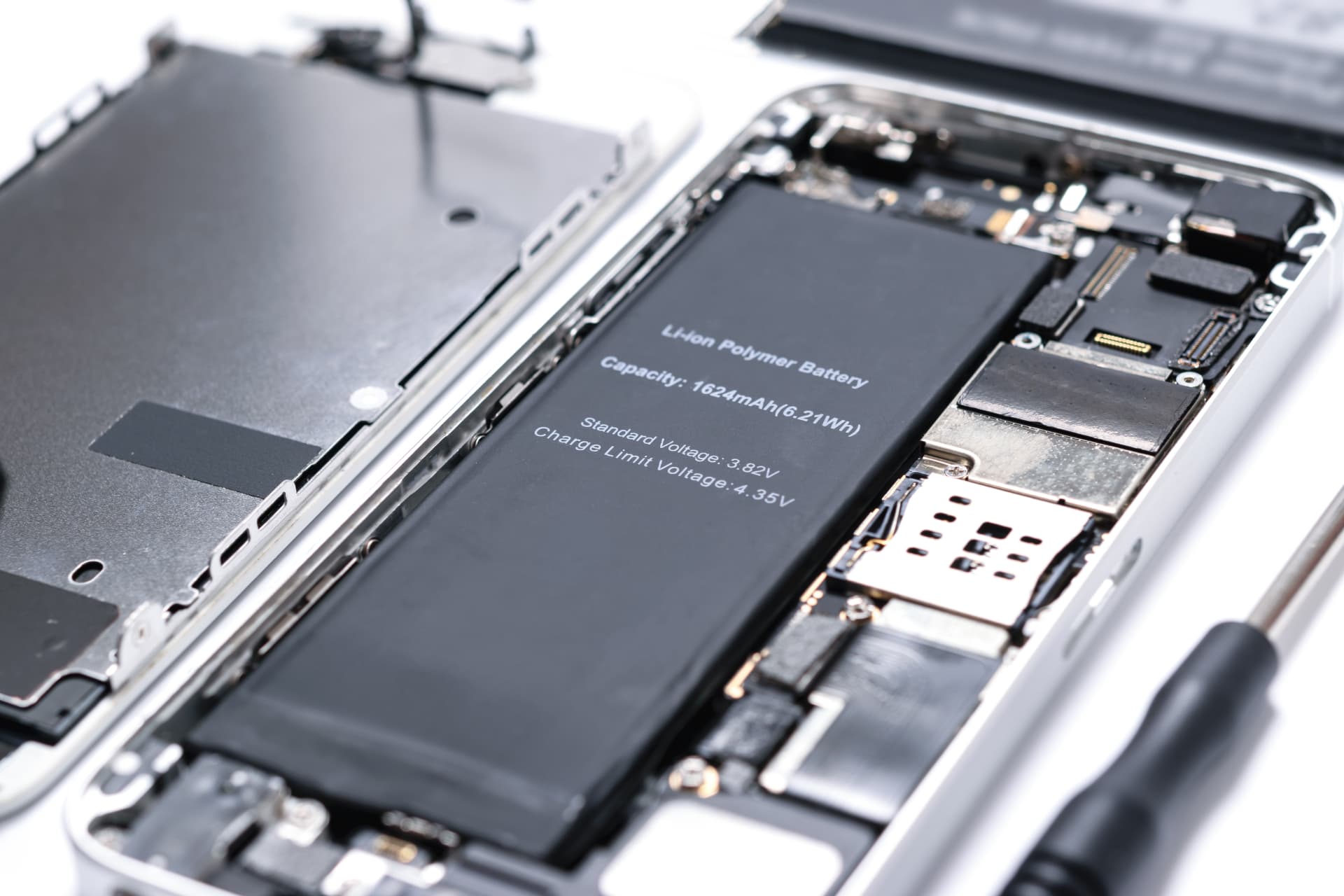
When your phone battery drains fast, the usual culprits are high screen brightness, apps running in the background, location services, weak mobile reception or an ageing battery. On iPhone and Samsung, the battery settings show you in 2 minutes which app is eating your power and how healthy the battery still is. If the capacity is below 80%, only a new battery will help.
Leaving home at 100% in the morning and already below 30 by lunchtime: a battery that drains fast is one of the most common annoyances that bring customers into our 3 Hamburg stores. The good news first: a battery that drains quickly isn't always broken. Often a single app or a setting quietly uses energy in the background. This guide shows you how to find the power hog, which iPhone and Samsung settings really make a difference and how to tell when the battery itself has reached the end of its life.
Why does my phone battery drain so fast?
A phone battery drains fast when the device uses more energy than usual or when the battery itself can store less energy than when it was new. Higher consumption comes from the screen, apps, wireless connections and heat; reduced storage comes from the ageing of the lithium-ion cells.
This distinction is the most important step. With higher consumption, the battery is healthy and you can counteract it with settings. With an aged battery, settings only help to a limited extent, because a battery with 75% capacity simply stores a quarter less energy than on day one. Both causes can also occur at the same time, for example when a new app puts extra strain on a battery that is already weak.
Our experience from the workshop in Hamburg: on devices under 2 years old, a setting or an app is usually behind it. On devices with 2 to 3 years or more of intensive use, the battery itself is very often worn out. A look at the battery health quickly gives you clarity in both cases.
Phone battery draining fast: the 10 most common causes in 2026
The following causes are ordered by frequency. You can fix the first 8 yourself; the last 2 are cases for a battery replacement or the workshop.
1. High screen brightness
On almost every smartphone, the screen is the single biggest power consumer. Full brightness over a long period drains the battery much faster than automatic adjustment. Turn on auto-brightness and the phone will turn the brightness down by itself depending on the ambient light.
2. Apps in the background
Many apps refresh content, load ads or sync data even when you don't open them at all. Social networks, streaming apps and navigation apps are among the most common candidates. In the battery settings, you can see how much energy each app has used in the background.
3. Location services
GPS and location tracking cost energy, especially when several apps access your location all the time. For most apps, the "While Using the App" setting is enough, instead of "Always".
4. Weak mobile reception
With a poor signal, the phone transmits at higher power and constantly searches for a better mast. In basements, U-Bahn tunnels or behind the thick walls of old buildings, the battery therefore drains noticeably faster. 5G in areas with patchy coverage also costs extra energy, because the device frequently switches between 5G and 4G.
5. Push notifications and emails
Every notification briefly wakes up the screen and the processor. With hundreds of messages a day, that adds up. Turn off notifications for apps you don't really need to hear from straight away.
6. Always-On Display and widgets
A screen that permanently shows the time and notifications uses energy even when the phone is idle. The same applies to widgets that update constantly, such as weather or news.
7. The phase after an update
After a major system update, the phone re-indexes photos, files and search data. Consumption is therefore often higher in the first few days afterwards. This settles down by itself. If the high consumption lasts longer than a week, it's worth checking the battery statistics.
8. Heat
A warm phone uses more energy, and heat permanently damages the battery. Charging in bed under the duvet, navigating in the sun behind the windscreen or gaming with a case on are typical situations. Our guide Phone or iPhone overheating explains when warmth is normal and when it isn't.
9. Ageing battery
Lithium-ion batteries lose a little capacity with every charge cycle. Apple states that the batteries of the iPhone 15 and newer still retain about 80% of their original capacity after 1,000 complete charge cycles, older models after 500 cycles. After that, battery life drops noticeably and sudden shutdowns become more frequent.
10. Faulty or damaged battery
After drops, contact with liquid or because of manufacturing defects, a battery can also fail prematurely. A swollen battery that pushes the screen or back glass outwards is a safety risk. You should stop charging a device like this and have it checked promptly.
How do I find out what is draining my battery?
Your phone itself shows you what is draining your battery: on iPhone under Settings > Battery, on Samsung under Settings > Battery. There you'll see the consumption per app for the last 24 hours and 10 days. A single outlier with a high background share is almost always the power hog you're looking for.
Work through it in 3 steps:
- Look at consumption per app. Watch out for apps that use a lot of battery even though you've hardly used them actively. On iPhone, you can tap the list to see screen time and background time separately.
- Check battery health. If the maximum capacity is below 80%, the battery is worn out, no matter how sparingly you use the phone.
- Overnight test. Charge the phone to 100%, switch it to aeroplane mode and leave it overnight. A healthy battery only loses a few percent. If the reading drops significantly, the battery has a problem or an app is still working in the background.
The following overview helps you match what you observe to the cause.
| Observation | Likely cause | Solution |
|---|---|---|
| One app with a high background share | App is working in the background | Turn off Background App Refresh, update the app |
| Consumption only high when out and about | Weak signal, location, navigation | 5G Auto, location only while using |
| Higher consumption for the past few days | Phase after an update | Wait a few days |
| Capacity below 80% | Ageing battery | Battery replacement |
| Shutdown at 20 to 30% | Battery can no longer deliver peak power | Battery replacement |
| Screen or back glass is bulging | Swollen battery | Stop charging, have it checked immediately |
iPhone battery draining fast: settings and battery health
On iPhone, you'll find the consumption per app under Settings > Battery and the maximum capacity under Battery Health. From the iPhone 15 onwards, iOS also shows the number of charge cycles under Settings > General > About. Low Power Mode, Background App Refresh and Location Services are the 3 most effective adjustments.
Reading battery health
Open Settings > Battery > Battery Health. The maximum capacity shows how much energy the battery can store compared with when it was new. If there is also a message saying that performance has been reduced or that service is recommended, the battery has aged considerably. On the iPhone 15 and newer models, Settings > General > About also shows the cycle count and the battery's manufacture date.
These iPhone settings save the most
- Low Power Mode: Settings > Battery > Low Power Mode. Reduces background activity, mail fetch and visual effects. Ideal for long days out and about.
- Background App Refresh: Settings > General > Background App Refresh. Turn it off for all apps that don't need up-to-date content in the background.
- Location Services: Settings > Privacy & Security > Location Services. Set each app to "While Using" or "Never".
- 5G Auto: Settings > Mobile Data > Mobile Data Options > Voice & Data. "5G Auto" only uses 5G when it's worth it.
- Always On Display: On iPhone models with this feature, you can turn it off under Settings > Display & Brightness.
iPhone battery draining fast after an update
Directly after an iOS update, higher consumption for a few days is normal, because the system reorganises data in the background. During this time, leave the iPhone on the charger overnight and connected to Wi-Fi, and the phase will be over sooner.
Optimised Battery Charging
The "Optimised Battery Charging" feature learns your charging routine and initially holds the battery at 80% overnight. This protects the cells in the long term. On newer iPhones, you can also set a fixed charge limit. Both are battery protection features and no sign of a fault.
Samsung battery draining fast: settings and battery status
On Samsung Galaxy devices, Settings > Battery (on older versions under Device care) shows the consumption per app; you check the battery status in the Samsung Members app under Diagnostics. Power saving mode, putting rarely used apps to sleep and Adaptive battery give you the most battery life on Samsung.
Battery status in Samsung Members
Open the preinstalled Samsung Members app, tap Support or Diagnostics and select Battery status. There, Samsung shows whether the battery is in good condition. On many models, an estimate of the battery's lifespan also appears.
These Samsung settings save the most
- Power saving mode: reduces brightness, processor performance and background activity.
- Adaptive battery: learns which apps you rarely use and limits their energy consumption.
- Put apps to sleep: In the battery settings under Background usage limits, you can put apps to sleep that don't need to run in the background.
- Refresh rate: Under Display > Motion smoothness, select Standard instead of Adaptive if maximum battery life matters more to you than smooth scrolling.
- Always On Display: set it to show only when you tap the screen, instead of permanently.
Battery protection on Samsung
Samsung offers a protection feature that stops charging at 80 or 85%, depending on the model and software version. If you have turned this feature on, you get less battery life in everyday use, but you protect the battery. Check this setting if your Galaxy suddenly never seems to charge fully.
Google Pixel and other Android phones: battery draining fast
On Google Pixel and other Android smartphones, you'll find the consumption per app under Settings > Battery > Battery usage. Adaptive Battery, Battery Saver and restricting the background usage of individual apps are the most effective levers there. Newer Pixel models also show the battery health directly in the battery settings.
Android is structured similarly across all manufacturers, but the menus have slightly different names depending on the brand. On Xiaomi, OnePlus, Oppo or Motorola, you'll also find the battery statistics in the settings under Battery or a similarly named menu. These 4 points are worth checking on every Android phone:
- Check battery usage per app and restrict apps with high background consumption.
- Turn on Adaptive Battery so that the system automatically slows down rarely used apps.
- Use Battery Saver for long days or trips.
- Update Google Play services and apps, because faulty versions sometimes use an unusual amount of energy.
You don't need third-party battery saver apps. They often access the system in the background themselves and therefore tend to use extra energy.
Battery percentage jumping: when is that normal?
A battery percentage that is inaccurate shortly after a battery replacement or a major update settles down by itself after a few normal charge cycles. If, on the other hand, the reading regularly jumps by 20% or more on an older battery, that's a clear sign of worn-out cells.
The percentage reading is an estimate. The phone calculates it from voltage, temperature and previous charging behaviour. A fresh battery needs a few cycles until the electronics get to know it. An old battery, on the other hand, suffers voltage drops under load, and the reading suddenly falls. You notice this especially in the cold in winter, when starting the camera or during video calls.
A note for iPhone users: on iPhones from the iPhone XS onwards, iOS may display a battery message after a battery that doesn't come from Apple has been fitted. According to Apple, this message doesn't affect the use of the iPhone or the battery.
Battery below 80%? New battery from €29 in Hamburg.
We replace the battery of your iPhone or Samsung Galaxy without an appointment in one of our 3 stores: Grindelhof 7, Lange Reihe 2 by the central station (Hauptbahnhof) or Ballindamm 40 in the Europa Passage. Fixed price before the repair, and your data stays on the device.
How can I tell my phone battery is faulty?
A faulty phone battery shows itself through a maximum capacity below 80%, sudden shutdowns with 20 to 30% charge still left, very strong heat while charging, jumping percentage readings and, in the worst case, a bulging back glass or a raised screen.
These 6 warning signs clearly point to a battery replacement:
- Capacity below 80% in battery health.
- Sudden shutdowns even though the reading still shows remaining charge.
- Jumping reading, for example from 40 to 15% within a few minutes.
- Phone only turns on when connected to the charging cable or no longer starts at all without the cable.
- Strong heat while charging, even though the phone isn't being used.
- Bulging back glass or a screen lifting away. This is a swollen battery and a safety risk. Stop charging it and bring it to the workshop promptly.
If one of the first 5 signs applies, no setting will help permanently. With the sixth, you should stop using the device. If your phone doesn't start at all any more, you'll find the right checklist in our guide Phone won't turn on.
Phone battery draining fast in winter: why cold costs battery life
In winter, your phone battery drains faster because cold slows down the chemical processes in the lithium-ion battery. The battery can then deliver less energy, the reading drops faster, and older batteries sometimes shut down completely in frost. This effect is temporary: as soon as the phone warms up again, the battery life comes back.
You notice this particularly when taking photos outdoors, at the Christmas market or while waiting at the bus stop. A new battery copes with cold better than an aged one. If your phone regularly cuts out even in light frost, that's a typical sign of a worn-out battery. These 3 habits help in winter:
- Carry your phone close to your body, for example in the inside pocket of your jacket instead of the outside pocket.
- Don't leave it in a cold car, especially not overnight.
- Wait before charging after coming inside until the device has reached room temperature. Charging in the cold puts strain on the battery.
Which apps use the most battery?
The apps that use the most battery are those that keep the screen on for long periods, play videos, use the camera or constantly access location and mobile data. Typically, these include video streaming, social networks with autoplaying videos, navigation apps and demanding games.
Your battery statistics show you which app uses the most on your phone. Frequently, the biggest consumers are apps that keep working in the background, more so than the ones you use the longest. For social networks, it's worth restricting video autoplay in the app settings and turning on data saver mode. For messengers, it helps to turn off automatic media downloads on mobile data and to reduce group notifications.
5 battery myths that aren't true
Many common battery tips date back to the days of old nickel batteries and no longer apply to modern lithium-ion batteries. Manually closing apps doesn't save energy on iPhone, and letting the battery run completely flat before charging tends to harm it.
Myth 1: Closing apps saves battery
Apps in the app switcher are usually paused and use hardly any energy. If you constantly close and reopen them, restarting the app often uses more energy. Closing an app only makes sense if it freezes or isn't working properly.
Myth 2: The battery has to be completely empty first
The so-called memory effect affected old nickel-cadmium batteries. Lithium-ion batteries don't like deep discharge. Topping up in between is better for them than running them completely flat.
Myth 3: Charging overnight ruins the battery
Modern smartphones stop charging when the battery is full and use features such as Optimised Battery Charging or battery protection. The only real problem is heat, for example under pillows or duvets.
Myth 4: Fast charging damages the battery
Fast charging with the right power adapters is approved by the manufacturer and controlled by the charging electronics. Cheap power adapters without a safety certification mark are the bigger risk.
Myth 5: A new battery needs training
Lithium-ion batteries don't need to be "broken in". After a replacement, the percentage reading may take a few charge cycles to settle, and the full capacity is available straight away.
When is a battery replacement worth it?
A battery replacement is worth it as soon as the maximum capacity falls below 80% or the phone shuts down unexpectedly, as long as the device otherwise still works well. A new battery costs only a fraction of a new smartphone and restores the original battery life.
Especially on devices that are 2 to 4 years old, the battery is often the only component that has really deteriorated. The processor, camera and screen usually still perform fully. A battery replacement therefore significantly extends the device's lifespan and saves money and resources. An extra advantage on iPhone: if iOS has throttled performance because of the weak battery, the device runs at full speed again with a new battery.
A battery replacement makes less sense if there is other expensive damage at the same time, for example a broken screen and a faulty camera on a very old model. During the diagnosis, we'll tell you honestly whether the repair is worth it.
Battery replacement in Hamburg at iSmart Repair: process and costs
At iSmart Repair in Hamburg, we replace the battery of iPhone, Samsung, Google Pixel and many other smartphones without an appointment in one of our 3 stores. A battery replacement costs from €29, depending on the model. We tell you the binding fixed price before the repair.
We've been repairing smartphones, tablets and MacBooks in Hamburg since 2014. This is how the battery replacement works:
- Drop in without an appointment. Grindelhof 7 in Rotherbaum (Mon to Sat 10:00 to 18:00), Lange Reihe 2 in St. Georg by the central station (Mon to Sat 10:00 to 20:00) or Ballindamm 40 in the Europa Passage (Mon to Sat 10:00 to 20:00).
- Free diagnosis. We check the battery health and charging electronics and clarify whether the battery really is the cause.
- Fixed price before the repair. You find out the price and the part before we start.
- Fitted with a warranty. With our Warranty Plus, you get 6, 12 or 24 months of warranty depending on the part.
You can see the guide price for your model at any time in the price calculator at the bottom of this page or on the Battery replacement Hamburg page. Can't make it to a store? Our pickup and mail-in service collects your phone free of charge anywhere in Hamburg. All addresses and opening hours are listed on the store overview.
If your phone won't charge at all even though the battery is actually healthy, the fault often lies with the charging port. In that case, our guide Phone not charging? 9 causes and what you can do now will help.
After the battery replacement: how to make your new battery last longer
A new battery lasts longest if you keep it between 20 and 80% where possible, avoid heat and use certified power adapters. There's no need to break it in or calibrate it: the full capacity is available straight away.
In the first few days after the replacement, the percentage reading may still be a little inaccurate until the system gets to know the new battery. Charge the phone as normal during this time. Turn on Optimised Battery Charging on iPhone or battery protection on Samsung so that the battery doesn't sit at 100% for hours overnight. And check the battery health every now and then: that way you'll notice early if something changes.
8 tips for longer battery life every day
These 8 habits extend your battery life each day and the overall lifespan of the battery:
- Use auto-brightness instead of permanent maximum brightness.
- Turn off Background App Refresh selectively for apps that don't need live content.
- Allow location access only while using an app, never permanently for all apps.
- Thin out notifications, especially from shopping and gaming apps.
- Keep the battery between 20 and 80% and turn on Optimised Battery Charging or battery protection.
- Avoid heat: don't charge in the sun, and remove thick cases when gaming.
- Keep apps and the system up to date, as updates often fix bugs that cost battery.
- Use certified power adapters and cables, ideally from the manufacturer or with a safety certification mark.
Frequently asked questions
Why is my phone battery suddenly draining so fast?
Usually an app is using an unusual amount of energy in the background, often after an update to the app or the system. Check under Settings > Battery (iPhone) or Settings > Battery (Samsung) which app is using a noticeably large amount. If there's no obvious outlier, the cause is often an ageing battery.
At what battery health percentage should I replace the battery?
Below 80% maximum capacity. From this value onwards, battery life drops noticeably and sudden shutdowns become more likely. Apple also sets the limit for a consumed battery at 80%.
How many charge cycles does a phone battery last?
According to Apple, the batteries of the iPhone 15 and newer retain about 80% of their capacity after 1,000 complete charge cycles, older iPhones after 500 cycles. On Android devices, the figure depends on the manufacturer and model, but it is in a similar range.
Does 5G use more battery than 4G?
Yes, with weak or patchy 5G coverage, because the phone switches between networks more often. On iPhone, the "5G Auto" setting makes sure 5G is only used when it brings noticeable benefits.
Is my battery faulty if the phone turns off at 20%?
Very probably, yes. An aged battery can no longer deliver short power peaks, and the phone shuts down to protect itself even though the reading still shows remaining charge. A battery replacement reliably fixes this.
How much does a new phone battery cost in Hamburg?
At iSmart Repair, a battery replacement costs from €29, depending on the model. The price calculator shows the exact guide price, and we tell you the binding fixed price in store before the repair.
Will my data be kept during a battery replacement?
Yes. A battery replacement doesn't delete any data and the device isn't reset. We still always recommend a backup.
Is a swollen battery dangerous?
Yes. A swollen battery can keep swelling, damage the screen or the back glass and, in the worst case, get very hot. Stop charging the device, don't put any pressure on the housing and have the battery replaced promptly.
Bottom line: A battery that drains fast either has a power hog in the background or is simply worn out. The battery settings on iPhone and Samsung show you in a few minutes which of the two applies. If the battery health is below 80%, a battery replacement at iSmart Repair in Hamburg restores full battery life, without an appointment and with a fixed price before the repair.
Last updated: October 2026 · iSmart Repair Hamburg · Grindelhof · Lange Reihe · Europa Passage
- Battery
- iPhone
- Samsung
- Guide
- Hamburg
Calculate the price for your device
Choose your model and repair and you will see the fixed price instantly. No appointment needed in Hamburg.
Your price in 3 steps
Choose brand, model and repair to see the price, time and warranty.
Good to know
- Done fast: Whatever the repair, your device is usually ready in 30 to 60 minutes.
- Your data stays safe: Don't worry, your data stays on your phone with every repair. We never delete personal data and we never reset your device.