
Phone Not Charging? 9 Causes and What You Can Do Now
Phone not charging? The 9 most common causes, from lint in the charging port to a faulty battery, with a 5-minute checklist to check it yourself and a clear answer on when it's time for the workshop.
iSmart Repair Hamburg · 01 September 2026
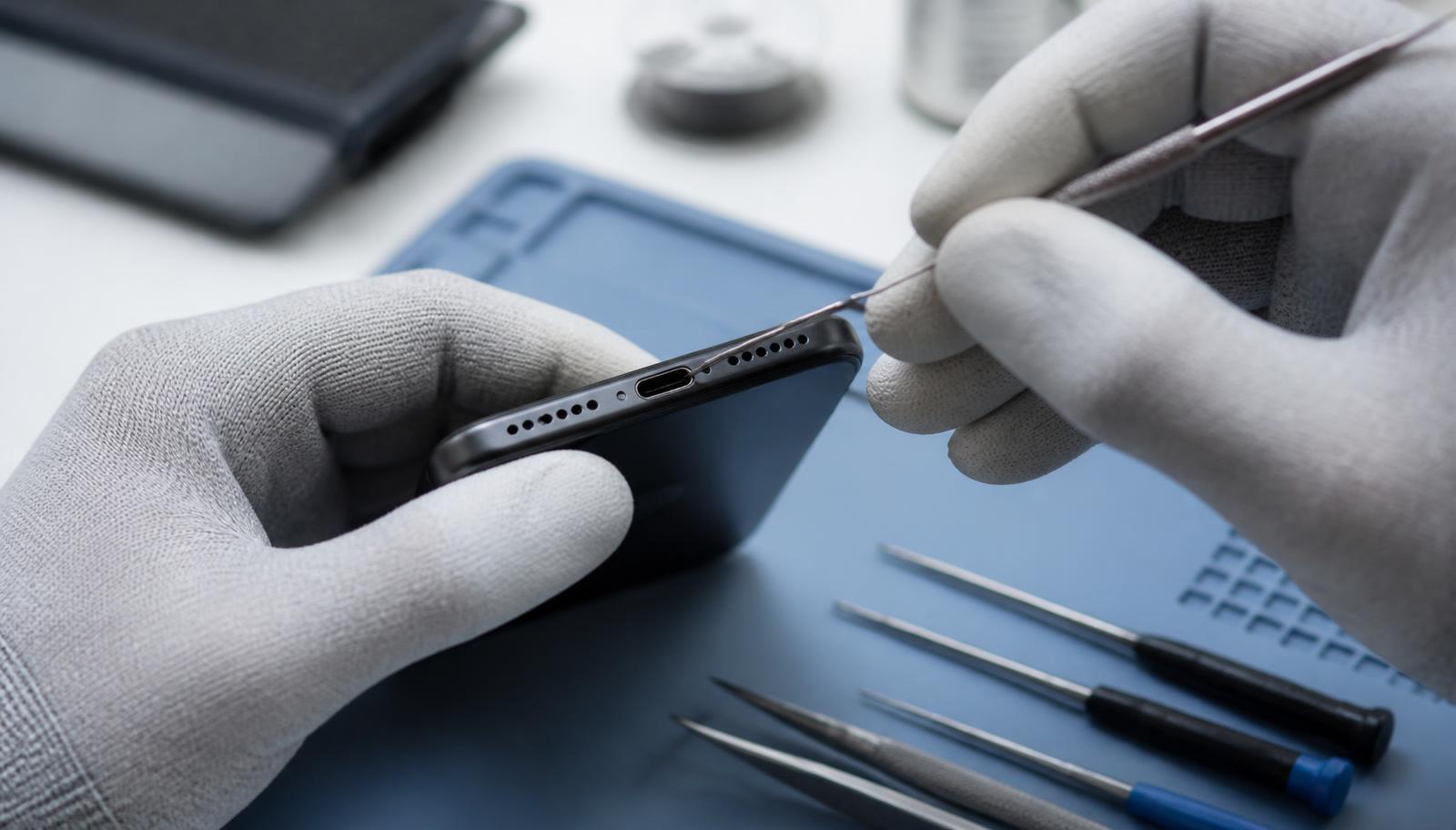
If your phone has stopped charging, the cause is usually a dirty or faulty charging port, a damaged charging cable, a weak battery or a software glitch. The good news: you can check 6 of the 9 most common causes yourself in a few minutes and often fix them yourself too. The other 3 need a workshop, and in Hamburg iSmart Repair usually sorts them out in 10 to 60 minutes without an appointment.
It is one of the questions we hear most often in our 3 Hamburg stores: “My phone isn't charging any more, is the battery dead?” In the vast majority of cases the answer is no. The battery is only one of 9 suspects, and usually one of the less likely ones. This guide takes you through every cause in the right order, from the simplest check to the workshop case, so you don't spend money on a new device or an unnecessary repair.
Why is my phone not charging?
A phone stops charging when the flow of power is interrupted somewhere between the socket and the battery: at the power adapter, the cable, the charging port, the charging electronics or the battery itself. Software can also block charging, for example after a faulty update or when moisture is detected in the port.
This chain is the key to finding the fault. Power always takes the same route: socket, power adapter, cable, charging port, charging chip on the logic board, battery. If one link fails, nothing charges. That is why it is best to check the chain from the outside in, starting with the cheap parts that are easy to swap. If you suspect the battery straight away, you skip 4 more likely causes.
From everyday experience in our Hamburg workshop: a dirty charging port is by far the most common cause, followed by faulty cables. A genuinely dead battery comes a long way behind. That matches what technicians across Germany report.
Phone not charging: the 9 most common causes in 2026
The order is deliberate: from the most common and simplest cause to the rarest workshop case. Work through the list from top to bottom and you will find the problem with the least effort.
1. Lint and dust in the charging port
The classic, and the number 1 cause in our workshop. Your phone sits in your trouser pocket all day, and every time you plug in the cable, textile fibres get pushed deeper into the port. After a few months a tightly packed layer builds up at the bottom of the port and stops the plug from clicking fully into place. The contact becomes unreliable, charging cuts out or only works when you hold the cable at a certain angle.
Typical signs: the plug sits loosely or “floats” in the port, the charging symbol flickers, or the phone only charges when you push the cable up or down. The fix is careful cleaning, more on that further down in the section on the charging port.
2. The charging cable is faulty
Charging cables wear out. The bend at the end of the plug, constant coiling and pulling on the cable instead of the plug lead to breaks in the fine copper wires that you cannot see from the outside. Cheap no-name cables and cables that lie sharply bent by the bed or in the car all the time are especially prone to this.
The test is simple: use another cable that you know works, ideally the original cable or a certified branded cable. If the phone charges with it, the cable was the problem. With Lightning cables for the iPhone it is also worth looking at the contacts on the plug: if they are blackened or crusted, the cable is done for.
3. The power adapter or charging adapter delivers too little power
Many charging problems start at the power adapter itself. Old 5-watt power adapters can barely keep up with the running consumption of modern smartphones and struggle to fill the battery. The phone shows the charging symbol, but the percentage doesn't move or even drops. Faulty power adapters with worn USB sockets or a loose plug contact are also common.
Check: is the cable firmly plugged into the power adapter? Does the power adapter get extremely hot while charging? Does the phone charge on a different power adapter or directly from a laptop? For current iPhones and Samsung models we recommend power adapters with at least 20 watts and USB-C Power Delivery.
4. The charging port is worn out or damaged
If the port has been used thousands of times over the years or the phone has fallen with the cable plugged in, the fine contact springs inside can bend or break. A bent metal housing on the port is also a common result of drops. Unlike with lint, cleaning no longer helps here.
Typical signs: the cable has noticeable play and wobbles, only charges when pressed, or a new cable makes no difference. In this case the charging port has to be replaced, a repair of 30 to 60 minutes on most models.
Charging port blocked or faulty? Sorted in Hamburg in 10 to 60 minutes.
iSmart Repair cleans or replaces your charging port without an appointment in 3 stores: Grindelhof (Eimsbüttel), Lange Reihe (St. Georg, next to central station, the Hauptbahnhof) and Europa Passage (Ballindamm). Free diagnosis, fixed price before the repair, your data stays intact.
5. The battery is deeply discharged or faulty
A lithium-ion battery that has been sitting completely flat in a drawer for weeks can drop into a protective mode. The phone then doesn't respond to the charging cable at first. Only after 15 to 30 minutes on power does the charging symbol appear. Patience is half the repair here: leave the device connected for at least half an hour before you draw any further conclusions.
A genuinely faulty battery is a different story. Signs include battery health below 80%, sudden shutdowns at 20 to 30% remaining charge, strong heat while charging or a bulging case. The last one is a safety issue: a swollen battery belongs in the workshop immediately and must not be charged any further. The section further down shows you how to read the battery health yourself on iPhone and Samsung.
6. A software glitch is blocking charging
Charging is an interplay of hardware and software. A frozen system, an interrupted update or a faulty app running in the background can mean the phone doesn't recognise the connected power or doesn't show the charging symbol even though it is charging. Sometimes only the display of the status is stuck and the battery fills up in the background.
The first step is a force restart. On iPhone: briefly press the volume up button, briefly press the volume down button, then hold the side button until the Apple logo appears. On Samsung: hold the volume down key and the side key at the same time for about 10 seconds. Afterwards check whether a system update is pending, and install it with the charging cable connected.
7. Moisture in the charging port
Modern smartphones have moisture sensors in the port. If the device detects liquid, it blocks wired charging for safety reasons. Samsung then shows the message “Moisture detected”, the iPhone reports “Liquid Detected in Lightning Connector” or “Liquid Detected in USB-C Connector”. Triggers include rain, sweat during sport, bathroom steam or a drop into the washbasin.
Important: don't dry the device with a hairdryer and don't push cotton buds into the port. Stand the phone with the port facing down in a well-ventilated place and wait 30 minutes to several hours. If the message doesn't disappear, or the device really did fall into water, professional drying with ultrasonic cleaning of the logic board is the safest solution. By the way, wireless charging usually keeps working during a moisture warning.
8. The socket, power strip or power bank is the problem
It sounds trivial, but it happens all the time: the socket is dead, the timer switch has turned off, the power strip is overloaded or the power bank itself is empty. USB ports on laptops often deliver too little power as well, especially in power saving mode or when the laptop itself isn't plugged in.
The check takes 30 seconds: plug another device into the same socket, or charge the phone at a different socket in the house. With a power bank, check its own charge level first.
9. The charging chip or logic board is damaged
The rarest, but most serious cause. The charging controller on the main logic board controls how much power flows into the battery. A drop, water damage, a voltage surge from a cheap power adapter or simple wear can damage it. The phone then doesn't charge at all, whatever cable or power adapter you use and even after cleaning the port.
How to recognise it: all the previous causes are ruled out, and the device doesn't even get warm when connected to power. Whether a logic board repair is worth it depends on the value of the device. An honest diagnosis before any cost commitment is a must here.
What to do when your phone won't charge: the 5-minute checklist
Check in this order: a different cable, a different power adapter, a different socket, inspect the charging port for lint, force restart, leave the device on power for 30 minutes. If it still doesn't charge after that, there is almost certainly a hardware fault in the charging port, battery or logic board.
This order isn't random. It follows the likelihood of each cause and the effort of each check. Every step rules out one source of error, so at the end you know exactly where the problem lies.
- Test a different charging cable. Use a cable you know works, ideally the original or a certified branded cable. If it charges now, the old cable was faulty.
- Test a different power adapter. Use a power adapter with at least 20 watts. If it charges with this one, the old power adapter was too weak or broken.
- Test a different socket or power source. Plug the phone into a different socket or into a charged power bank.
- Check the charging port with a torch. Shine a light into the port. If you see a grey or dark layer at the bottom, that is lint. For cleaning, see the next section.
- Do a force restart. This resets frozen software and fixes display problems while charging.
- Leave the device on power for 30 minutes. With a deeply discharged battery it takes a while before the charging symbol appears. Don't give up before then.
- Test wireless charging (if available). If the phone charges wirelessly but not by cable, the charging port or its electronics is faulty. In that case the battery is fine.
Step 7 is an underrated trick: it cleanly separates a port problem from a battery problem without opening the device.
Gone through the checklist and it still won't charge?
Then it's a job for the workshop. At iSmart Repair in Hamburg we check the charging port, battery and charging electronics free of charge and tell you the fixed price before we start. No appointment needed, usually finished the same day.
How do you clean a phone's charging port?
The safest way to clean the charging port is with a wooden or plastic toothpick and a burst of compressed air: switch off the device, carefully loosen the lint from the edge, blow it out with compressed air. Metal objects, liquids and cotton buds have no place in the port, they damage the contacts or leave new fibres behind.
Cleaning is the step that solves most charging problems, and at the same time the step where the most damage is done. In our workshop we regularly see ports whose contact pins have been bent by paper clips, needles or SIM tools. A 10-minute cleaning job then turns into a port replacement. So stick to this method:
- Switch off the phone. This way you avoid short circuits on the live contacts.
- Shine a torch into the port. This shows you how much dirt is in there and where it sits.
- Carefully run a wooden or plastic toothpick along the bottom. Always start at the edge and push the lint towards the opening. No pressure, no levering. In the Lightning port (iPhone up to 14) and USB-C (iPhone 15 and newer, all current Android devices) the delicate contacts sit on the inner wall or on the central tongue respectively.
- Blow it out with compressed air. A short burst from 2 to 3 centimetres away is enough. Hold the can upright so that no liquid propellant comes out.
- Plug in the cable and check. The plug should now click in noticeably deeper and sit firmly.
What you should avoid: using needles, paper clips or metal tweezers. Putting alcohol, contact spray or water into the port. Blowing into it with your mouth (saliva is moisture). Using cotton buds, which leave new fibres behind.
If you are unsure or the port is very dirty: a professional clean with special tools takes 10 to 20 minutes with us and is much cheaper than a repair made necessary by the wrong tool.
Why won't my phone charge when the cable is plugged in?
If your phone won't charge even though the cable is plugged in, the fault is almost always in one of 4 places: the cable is broken inside, the power adapter delivers too little power, the charging port is blocked by lint or the device has detected moisture in the port and is blocking charging.
A plugged-in cable only gives the impression of an intact connection. A cable break at the bend interrupts the flow of power even though the plug looks perfectly seated. In the same way, a layer of lint in the port stops the plug from reaching the contacts inside, even if it looks plugged in from the outside.
A case that is often overlooked: the phone is charging, but more slowly than it uses power. With navigation, video or a hotspot running, a smartphone uses more power than a weak 5-watt power adapter can supply. The percentage stays put or drops, even though the charging symbol is lit. A stronger power adapter solves this, no workshop visit needed.
| Symptom | Likely cause | Solution |
|---|---|---|
| No charging symbol, no response | Cable break, dead power adapter, deeply discharged battery | Swap cable and power adapter, wait 30 minutes |
| Only charges with the cable in a certain position | Lint in the port or worn-out port | Clean the port, otherwise replace the port |
| Charging symbol flickers, connection cuts out | Loose contact in the cable or port | Test a different cable, have the port checked |
| Percentage doesn't rise or drops | Power adapter too weak, high consumption | Use a power adapter with at least 20 watts |
| “Moisture detected” message | Liquid in the port | Let it dry, charge wirelessly, workshop if needed |
| Charges wirelessly, but not by cable | Charging port or port electronics faulty | Port replacement in the workshop |
| Device gets hot, barely charges | Battery at the end of its life or charging chip problem | Check battery health, diagnosis in the workshop |
How can I tell if my phone battery is faulty?
A faulty phone battery shows itself through battery health below 80%, sudden shutdowns at 20 to 30% remaining charge, noticeably shorter battery life, strong heat while charging and, in the worst case, a bulging case. iPhone and Samsung show you the battery health directly on the device, no app needed.
Before you consider a battery replacement, read out the capacity. It takes one minute and gives you a clear number instead of a gut feeling.
On iPhone: open Settings > Battery > Battery Health & Charging. There you will see the maximum capacity as a percentage. Up to 85% the battery counts as healthy. Below 80% Apple itself also recommends a replacement; from this value iOS throttles performance when needed so the device doesn't switch off unexpectedly.
On Samsung: open the Phone app and type *#0228# on the keypad. A service menu with battery data opens, including the current charge level and, on many models, an indication of the battery's health. Alternatively, the Samsung Members app has a battery test under “Diagnostics”. With other Android manufacturers, look under Settings > Battery > Battery health or use an app such as AccuBattery.
The 5 clear warning signs of a faulty battery:
- Capacity below 80%. The device lasts noticeably less than it used to, often only half a day.
- Sudden shutdowns. At 20 to 30% the phone simply switches off, even though remaining charge is still shown.
- Heat while charging. The back of the device gets unusually hot, well beyond warm to the touch.
- Swollen case. The screen or the back bulges and the device no longer lies flat on the table. A case for the workshop straight away, stop charging.
- Jumping percentage. The charge level jumps from 40 to 15% or back up again without you having used the device.
Battery health below 80%? Battery replacement in Hamburg from 20 minutes.
We only fit high-quality original or OEM batteries with full capacity in mAh and tell you which part we use before the repair. Your data stays on the device, no backup needed. Warranty on battery and fitting.
iPhone not charging: what's specific to Apple
With the iPhone there are 3 additional Apple-specific causes: accessories that aren't certified are rejected by the device, the “Optimised Battery Charging” feature deliberately stops at 80%, and the Lightning port (up to iPhone 14) is particularly prone to lint because of its open design. Since the iPhone 15, Apple has used USB-C.
Accessory warning: if the message “This accessory may not be supported” appears, the iPhone doesn't recognise the cable or power adapter as certified. The cause is either a cheap cable without MFi certification or a damaged chip in the Lightning plug. The solution is an original or MFi cable. If the message also appears with the original cable, the port is usually dirty or a contact is damaged.
Optimised Battery Charging: iOS learns your charging routine and deliberately holds the battery at 80% overnight to reduce wear. It only charges fully shortly before your usual wake-up time. This is no fault. If you need a full charge straight away, temporarily switch the feature off under Settings > Battery > Battery Health & Charging. Newer iPhones also have an adjustable charge limit, which may likewise be set below 100%.
Lightning and USB-C: the Lightning port has an open design in which the contacts sit on the plug's tongue. Lint collects at the bottom of the port and pushes the plug outwards. In the USB-C port from iPhone 15 onwards, the contacts sit on a central tongue inside the port, so take extra care when cleaning so that the tongue doesn't bend.
Moisture message: “Liquid Detected in Lightning Connector” or the USB-C version blocks wired charging. The iPhone then offers to use the accessory anyway, which you shouldn't do. Let it dry and charge with MagSafe or a Qi charger in the meantime.
Older iPhone models: with the iPhone 6, 7 and 8, a battery that no longer charges after 5 to 8 years of use is the most common reason. A battery replacement is inexpensive on these devices and worth it as long as you still use the device.
Samsung and Android not charging: what's specific
With Samsung and other Android devices, the typical pitfalls are the “Moisture detected” warning, a charging protection that stays stuck after drying, the fast charging switch in the settings and, on some models, a USB-C port that is soldered in place.
“Moisture detected” stays on screen: on Samsung devices the warning sometimes doesn't disappear even after the phone has dried completely. A restart helps, as does clearing the cache of the “USBSettings” app or, as a last option, restarting in Safe mode. If the message stays permanently, the moisture sensor in the port itself is dirty or faulty, a case for the workshop.
Fast charging switched off: under Settings > Battery > Charging settings, Samsung lets you switch off Fast charging and Super fast charging. If the feature is off, the device charges extremely slowly and seems faulty. Check the switch before you buy a new power adapter.
Charging protection and battery protection: like Apple, Samsung also offers a feature that stops the battery at 80 or 85% to extend its lifespan. It is called “Battery protection” or “Protect battery”. A phone that never goes above 85% is working fine and simply has this feature switched on.
Soldered USB-C port: on many Samsung A models and some Xiaomi devices the charging port is soldered directly onto the main logic board, while on Galaxy S models and iPhones it sits on a replaceable flex cable. Replacing a soldered port requires soldering work under the microscope and takes longer. We tell you which design your model has during the free diagnosis.
Pixel, Xiaomi, OnePlus: Google Pixel devices show a similar block when moisture is detected. Xiaomi and OnePlus use their own fast charging standards, which only reach full speed with the original power adapter. With a third-party power adapter they charge much more slowly, which is often mistaken for a fault.
When does your phone need to go to a workshop?
Your phone belongs in the workshop if it still won't charge after a new cable, a new power adapter, a cleaned port and a force restart, if the cable noticeably wobbles, if battery health is below 80%, if the case is bulging or if the device has fallen into water. You can solve everything else yourself.
The line runs between accessories and software on one side, which you check and swap yourself, and the hardware inside the device on the other, which has to be opened up. The following overview helps you decide:
| Situation | Can you fix it yourself? | Recommendation |
|---|---|---|
| A different cable or power adapter solves the problem | Yes | Replace the accessory, done |
| Lint in the port, plug sits firmly after cleaning | Yes | Clean following the guide |
| Restart or update fixes the problem | Yes | Keep software up to date |
| Port very dirty, you don't feel confident cleaning it | Partly | Professional cleaning, 10 to 20 minutes |
| Cable wobbles, only charges when pressed, cleaning doesn't help | No | Replace the charging port, 30 to 60 minutes |
| Battery health below 80%, sudden shutdowns | No | Battery replacement, from 20 minutes |
| Case bulging | No | Straight to the workshop, don't charge |
| Device fell into water | No | Switch off, don't charge, get to the workshop quickly |
| Charges wirelessly, but not by cable | No | Replace the port or port flex cable |
| Everything ruled out, device doesn't respond at all | No | Logic board diagnosis, check the charging chip |
A word on replacing the port yourself: on video platforms, a port replacement looks easy. In practice the flex cables are wafer-thin, the connectors are tiny and on many models the battery is in the way and must not be damaged during removal. One mistake can quickly cost more than the professional repair. If you don't open smartphones regularly, you are better off with the workshop.
Charging port repair in Hamburg: process, time and cost at iSmart Repair
At iSmart Repair in Hamburg we clean your charging port in 10 to 20 minutes and replace it in 30 to 60 minutes if it is faulty, without an appointment, in 3 central stores. The diagnosis is free, we tell you the fixed price before the repair, and your data stays on the device.
Since 2014 we have repaired more than 50,000 devices in Hamburg, and charging ports are among the most common cases. The process is deliberately simple:
- Drop by without an appointment. All 3 stores take your device straight away: Grindelhof 7 in Eimsbüttel, Lange Reihe 2 in St. Georg right by central station and Ballindamm 40 in the Europa Passage in the city centre.
- Free diagnosis. We check the cable, port, battery and charging electronics and find the actual cause. It often turns out that only a clean is needed.
- Fixed price before the repair. You find out what will be done, which part will be fitted and what it costs. We only start once you agree.
- Repair on site. Cleaning 10 to 20 minutes, port replacement 30 to 60 minutes, a little longer for soldered ports. You can wait or get something else done in the meantime.
- Collection with a warranty receipt. Every repair comes with a written warranty on the spare part and the work.
About the cost: the price depends on the model and on how the port is built. Cleaning is the cheapest case. A port replacement on an iPhone or on Galaxy S models with a plug-in flex cable is in the mid range; a soldered port on some A models requires soldering work and costs more. You get the exact fixed price for your model after the free diagnosis in store, with no payment upfront.
Charging port repair in Hamburg: prices for your model →
From Ottensen, Altona, Barmbek, Wandsbek, Eppendorf, Winterhude or Billstedt you can reach one of our stores in 10 to 25 minutes by U-Bahn, S-Bahn or bus. You will find opening hours and directions on the store overview.
iSmart Repair Hamburg: 3 stores, no appointment, fixed price before the repair.
Grindelhof 7 (Eimsbüttel) · Lange Reihe 2 (St. Georg, by central station) · Ballindamm 40 (Europa Passage). 4.9 stars from over 860 Google reviews. Just drop by.
7 tips to prevent charging problems
Most charging problems develop gradually and can be avoided with little effort. These 7 habits protect the port, cable and battery:
- Pull on the plug, never on the cable. Cable breaks almost always happen where the cable meets the plug.
- Check the charging port every 2 to 3 months. A quick look with a torch shows whether lint is building up. Removed early, the port stays intact.
- Don't use or put down your phone with the cable plugged in. The leverage of the plug when you shift your grip puts strain on the port and bends the contacts over time.
- Use certified accessories. For the iPhone, MFi-certified cables; for Android, cables and power adapters with USB Power Delivery. Cheap power adapters deliver unstable voltage and put strain on the charging chip.
- Keep the battery between 20 and 80%. Constant full charging and deep discharging speed up wear. The “Optimised Battery Charging” and “Battery protection” features help with this automatically.
- Avoid heat. Don't charge in the car in the sun, and don't use a case that traps heat while charging. Heat is the biggest battery killer.
- Keep moisture away. After sport, rain or the bathroom, let the device dry briefly before you plug in the cable. Wireless charging is the safe alternative during moisture warnings.
Frequently asked questions
Why has my phone suddenly stopped charging?
It is usually one of 4 causes: a cable broken on the inside, a power adapter that is too weak or faulty, lint in the charging port or a moisture warning. First check the cable and power adapter on another device, then the port with a torch.
Can I clean the charging port myself?
Yes, with a wooden or plastic toothpick and compressed air while the device is switched off. Don't use metal objects, liquids or cotton buds. If the port is very dirty, a professional clean in 10 to 20 minutes is the safer choice.
How long does a charging port repair take?
A clean takes 10 to 20 minutes, a port replacement with a plug-in flex cable 30 to 60 minutes. With ports soldered in place, such as on some Samsung A models, it takes a little longer because of the soldering work. At iSmart Repair in Hamburg this is done on site without an appointment.
How much does it cost when my phone won't charge?
That depends on the cause. A new cable or power adapter costs a few euros. A port clean is the cheapest workshop case; a port replacement costs more depending on the model and design. We tell you the fixed price for your device after the free diagnosis, before the repair.
How can I tell whether the battery or the charging port is faulty?
If the phone charges wirelessly but not by cable, the port is the problem and the battery is fine. If it doesn't charge wirelessly either, or shows battery health below 80% with sudden shutdowns, that points to the battery.
My iPhone only charges to 80%. Is that a fault?
No. The “Optimised Battery Charging” feature deliberately holds the battery at 80% to reduce wear and only charges fully shortly before the time you usually use it. Newer iPhones may also have a charge limit set. You will find both under Settings > Battery.
My phone says “Moisture detected” but it is dry. What should I do?
Restart the device and leave it for 30 minutes with the port facing down in a well-ventilated place. On Samsung, clearing the cache of the “USBSettings” app also helps. If the message stays permanently, the sensor in the port is dirty or faulty and should be checked in the workshop. Wireless charging works in the meantime.
Will my data be kept during a charging port repair?
Yes. Cleaning or replacing the charging port doesn't touch any data. A backup isn't necessary, although we always recommend one anyway.
Bottom line: if your phone has stopped charging, the battery is rarely to blame. The cable, the power adapter and above all lint in the charging port are far more common causes, and you can rule them out yourself in 5 minutes. If the problem remains, the free diagnosis at iSmart Repair in Hamburg gets you to a solution within an hour, without an appointment, at a fixed price and without data loss.
Last updated: September 2026 · iSmart Repair Hamburg · Grindelhof · Lange Reihe · Europa Passage
- Charging port
- Battery
- Guide
- Hamburg
Calculate the price for your device
Choose your model and repair and you will see the fixed price instantly. No appointment needed in Hamburg.
Your price in 3 steps
Choose brand, model and repair to see the price, time and warranty.
Good to know
- Done fast: Whatever the repair, your device is usually ready in 30 to 60 minutes.
- Your data stays safe: Don't worry, your data stays on your phone with every repair. We never delete personal data and we never reset your device.