
Phone Dropped in Water? 7 Immediate Steps That Will Save Your Phone
Phone dropped in water? The first 10 minutes decide between rescue and write-off. These 7 immediate steps give your phone the best chance, plus the 5 mistakes that make everything worse and an honest look at when only the workshop can help.
iSmart Repair Hamburg · 09 September 2026
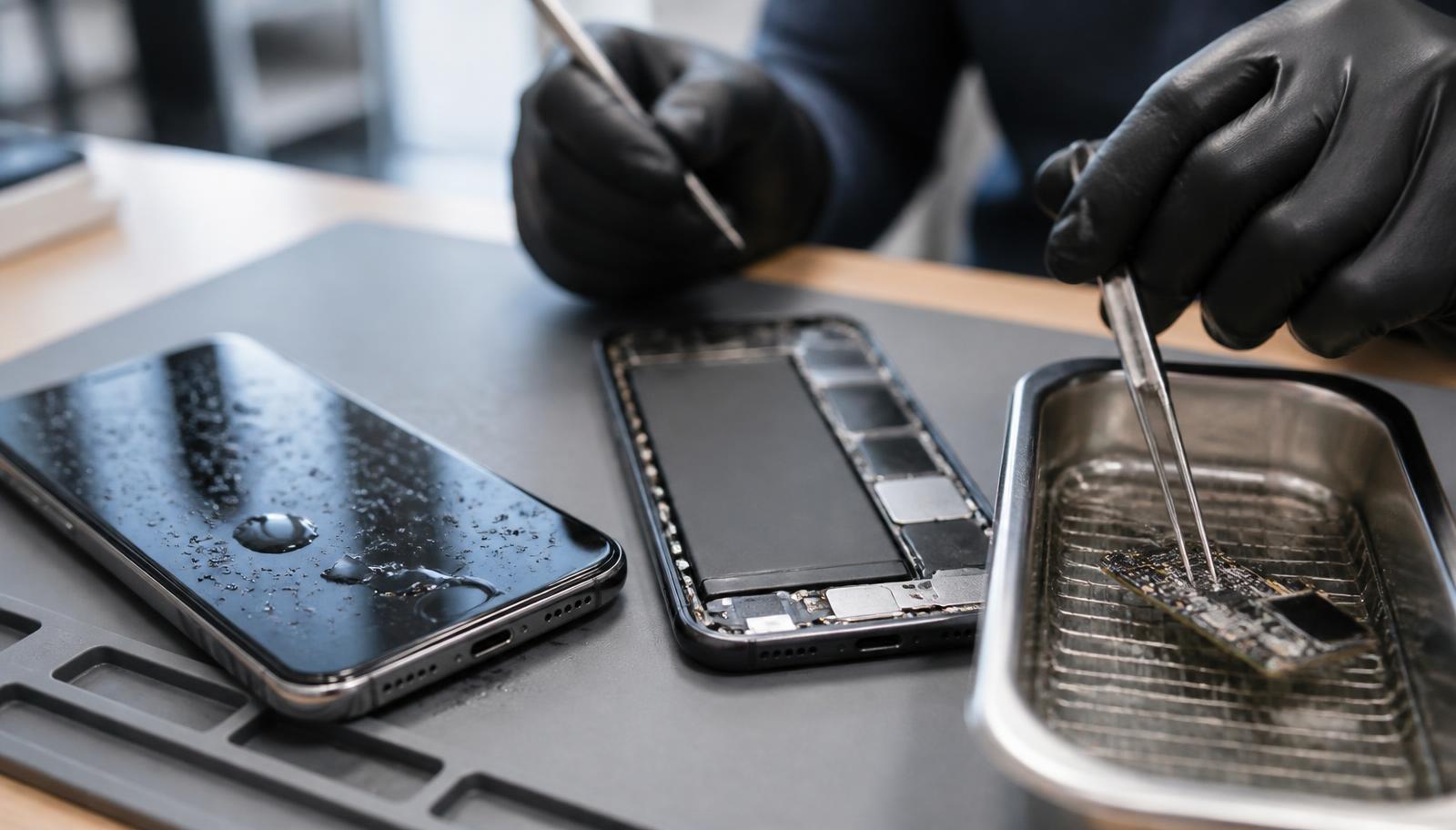
If your phone has dropped in water, the first few minutes count: get it out of the water straight away, switch it off, don't charge it, don't shake it, don't use a hairdryer. Take out the SIM card, dry the phone and store it with the port facing down. The sooner the phone is then opened and dried professionally, the better its chance of survival. In Hamburg, iSmart Repair handles this in 3 stores, without an appointment and with an honest assessment before you commit to any cost.
Slipped into the sink, soaked in your rain jacket or dropped straight into the toilet: water damage is one of the most common phone emergencies of all, and also the one where people make the most mistakes. The good news: a wet phone is not automatically a write-off. What you do in the first 10 minutes (and what you avoid doing) decides its chance of survival. This guide takes you through the emergency step by step, clears up the rice myth and tells you honestly when it's time to head to the workshop.
What happens when water gets into your phone?
Water conducts electricity, and in a phone that is switched on it causes short circuits between contacts that should never be connected. The time afterwards is even more dangerous: together with current and minerals, corrosion starts on the logic board within hours and permanently destroys circuit tracks and components.
So the real enemy is the combination of water and electricity, much more than the water itself. A phone that is switched off and has no power running through it survives moisture far better than one that is running. That is exactly why the most important rule for any water damage is: cut the power, as fast as possible.
On top of that comes a time factor that many people underestimate. Even if the phone still works after its swim, the moisture inside keeps working too. Corrosion is a slow, creeping process: only after days or weeks do the camera, speaker, charging or the whole phone fail. Workshops call these delayed effects, and they are the reason you should take water damage seriously even when everything seems to work.
Modern smartphones are rated IP67 or IP68 against fresh water under laboratory conditions. This protection only applies to new, undamaged phones, though: every drop, every crack in the screen or back glass and every ageing seal weakens it. So never rely on the IP rating, and certainly not with salt water, soap or sugary drinks.
Phone dropped in water: the 7 immediate steps
The rescue formula in short: out of the water, switch off, connect nothing, open the SIM tray, dry the outside, store it with the port facing down and have it dried professionally as quickly as possible. Each of these steps has a technical reason, and the order matters.
Step 1: Get it out of the water immediately
Sounds obvious, but every second in the water increases the pressure that pushes liquid through seals, speaker openings and the charging port into the inside. So: get it out straight away, even from the toilet. A phone can be disinfected; a destroyed logic board cannot be brought back.
Step 2: Switch it off, immediately and completely
Hold down the power-off buttons and shut the phone down completely. No standby, no “just turning the screen off”. As long as current is flowing, every droplet that gets in can trigger a short circuit. If the water has already switched the phone off: under no circumstances switch it back on “to test whether it still works”. That very test finishes off many phones for good.
Step 3: Connect nothing, don't charge
No charging cable, no power bank, no wireless charging. Sending power from outside into a wet phone is the fastest route to a write-off. Wait with charging until the phone is verifiably dry, and if in doubt, only after it has been checked in the workshop.
Step 4: Open the SIM tray, take out the SIM and memory card
Open the SIM tray with the tool or a straightened paper clip and take out the SIM and memory card. This protects the cards and at the same time opens a small gap through which moisture can escape. On older phones with a removable battery: take off the back cover and remove the battery. On modern phones the battery is built in and cannot be removed, so it's even more important to keep the phone switched off and move on to step 5.
Step 5: Dry the outside and shake it out gently? No: dab it dry
Dry the phone with a soft cloth and carefully dab the charging port and the speaker openings. Don't shake it hard: that only spreads the water further inside. Hold the phone with the openings facing down while you dry it, so gravity works for you.
Step 6: Store it correctly, with the port facing down
Put the phone in a dry, airy place at room temperature, propped up slightly with the charging port facing down. Not on the radiator, not in the sun, no hairdryer (you'll find out why in the next section). Air circulation is good, heat is poison.
Step 7: Have it opened and dried professionally as quickly as possible
This is where the rescue is decided. A smartphone never dries completely from the outside: residual moisture stays under the screen, under shielding plates and in connectors, and it keeps corroding. In the workshop the phone is opened, the logic board is cleaned of residue and corrosion in an ultrasonic bath and dried under controlled conditions. The earlier this happens, the better the chance. Rule of thumb from practice: within 24 to 48 hours, and on the same day for salt water and sugary drinks.
Water damage in Hamburg? Come in straight away, no appointment needed.
iSmart Repair takes your phone in immediately at 3 stores: Grindelhof 7 (Eimsbüttel), Lange Reihe 2 in St. Georg by the central station (Hauptbahnhof), and Europa Passage (Ballindamm 40, city centre). The diagnosis is free, the assessment of the chance of survival is honest, and you get the fixed price before the repair.
The 5 biggest mistakes after water damage
Most write-offs are caused by well-meant rescue attempts afterwards, far more often than by the water itself. We see these 5 mistakes in the workshop again and again, and every single one of them can turn a fixable case into a write-off.
Mistake 1: Putting the phone in rice
The best-known piece of advice is sadly also the least effective. Rice draws only a tiny amount of moisture from the surrounding air and never gets anywhere near the real problem: the water inside, under the screen and on the logic board. Worse still, fine rice dust and starch grains get stuck in the charging port and speaker openings. Even Apple officially warns against putting a wet iPhone in rice. If you want to use a household remedy at all: silica gel sachets (the little bags from shoe boxes) draw out moisture much better. They won't stop the corrosion inside either, though.
Mistake 2: Using a hairdryer or putting it on the radiator
Heat feels like it speeds up the rescue, but it does the opposite. The airflow from a hairdryer pushes water droplets deeper into the housing, exactly where they do the most damage. The heat also stresses the battery, can loosen the screen adhesive and seals, and can warp plastic parts. The same goes for radiators, ovens and blazing sun. Drying, yes, but at room temperature with air circulation.
Mistake 3: Switching it on “to see if it still works”
The most understandable mistake of all, and the most expensive. Every attempt to switch it on sends current through a phone that may still have water droplets on the logic board. The resulting short circuit often destroys more than the original contact with water. The same applies to charging: no cable, no power bank, no wireless charging pad until the phone is definitely dry.
Mistake 4: Shaking it hard or blowing into it
Shaking moves the water from one corner of the housing into all the others. Blowing into the charging port with your mouth also adds saliva (in other words new moisture plus minerals) to the phone. Compressed air from a can is not a good idea with fresh water damage either: it drives droplets deeper instead of out. Dab it dry and let gravity help, nothing more.
Mistake 5: Waiting because “it still works”
The quietest mistake of all. The phone still runs after its swim, so everything seems fine, and 3 weeks later first the speaker fails, then the camera, and then it won't start at all. These are the classic delayed effects of corrosion, which keeps working inside while everything looks normal on the outside. Water damage should be checked even when the phone seems to carry on unaffected. More on this in the section Your phone still works: are you safe?
How do you get moisture out of a phone?
From the outside you can only get part of the moisture out of a phone: dab it dry, keep the openings facing down, store it at room temperature with air circulation and ideally add silica gel. The moisture under the screen, under shielding plates and in connectors can only be reached by a workshop that opens the phone.
That is the uncomfortable truth no household remedy can change: a smartphone is glued and screwed together, and its most sensitive spots sit under several layers of metal and adhesive. What you can do yourself is limited to drying the outside, and that still matters, because it buys time:
- Keep the phone switched off and stand it with the openings facing down, slightly angled.
- Put it in an airy room at room temperature, not in a closed container.
- Place silica gel sachets around and under the phone, if you have any. Replace them every few hours.
- Take the moisture warning seriously: if, after drying, the phone still reports “Liquid detected” when you plug in a cable, there is still residual moisture in the port or the sensor is damaged.
- For anything more than a quick splash: professional drying with the phone opened. Only then do the logic board and connectors get truly dry and free of residue.
By the way: if your phone runs after drying but no longer charges, a corroded charging port or the moisture lock is often behind it. You can read what to do then in our guide Phone not charging: 9 causes and what you can do now.
How long does a phone need to dry after water damage?
In the open air, a phone needs at least 24 to 48 hours after contact with water, and more like 72 hours if it got thoroughly soaked, before trying to switch it on or charge it is even justifiable. This time only dries the accessible areas, though: residual moisture can remain inside considerably longer.
The honest context: drying time limits the damage and does not replace a repair. While the phone lies in the open air, 2 things happen at once: the accessible moisture slowly evaporates, and the trapped moisture keeps corroding. So the rule is: the more valuable the phone and the more important the data, the less you should rely on air drying alone.
| Situation | Waiting time before switching on | Recommendation |
|---|---|---|
| Quick splash, phone stayed on, nothing unusual | 24 hours | Keep an eye on it, go to the workshop if anything seems off |
| Briefly submerged (sink, puddle, toilet) | 48 hours, better to visit the workshop first | Professional drying recommended |
| Submerged for longer or the phone switched off | Don't switch it on yourself any more | Straight to the workshop, keep the phone off |
| Salt water, pool, cola, coffee, soap | Don't switch it on yourself any more | To the workshop on the same day |
| “Liquid detected” when charging | Until the message disappears, at least a few hours | Charge wirelessly, workshop if the message persists |
And when can you charge it again? At the earliest once the phone has been stored dry for the full waiting time and no longer shows a moisture warning. If in doubt, charge wirelessly first, which bypasses the wettest spot, the charging port. It's only truly safe once it has been cleared after a professional check.
Not sure whether your phone can go back on the cable yet?
Just pop in: the technicians at iSmart Repair check the charging port and moisture indicators for free and tell you honestly whether your phone is dry or should be opened. In 3 Hamburg stores, without an appointment, Monday to Saturday.
Phone won't turn on after water damage: what now?
If the phone no longer turns on after contact with water, that's serious, but it's not a death sentence yet. Exactly one thing matters now: no more attempts to switch it on or charge it, because each of them can make the damage worse. Take it straight to the workshop, with the phone switched off.
After water damage, a phone that won't start can have 3 very different causes, and you can't tell from the outside which one applies:
- The protective shutdown has kicked in. Many phones switch themselves off when they detect liquid or the start of a short circuit. After professional drying and cleaning, such phones often work fully again.
- The battery is affected. Water and battery electronics don't mix; after cleaning a battery replacement is often needed, while the rest of the phone stays intact.
- There was a short circuit on the logic board. Then everything depends on which component was hit. Individual components can be replaced under the microscope; here the diagnosis decides.
Precisely because of this range, the free diagnosis is the right first step: it shows whether cleaning is enough, whether a component needs replacing or whether the repair is no longer worth it. And even in the worst case, not everything is lost: data can often still be recovered even from phones that never turn on again. More on this in the section Recovering your data after water damage.
Your phone still works: are you safe?
In short: not yet. A phone that keeps running normally after contact with water can still carry moisture inside, and that moisture keeps working quietly. The typical delayed effects only show after days or weeks: muffled sound, spots on the screen, a camera that stops working, a weakening battery, charging problems.
This is the case most often underestimated in the workshop. The relief after the first shock is understandable, but corrosion doesn't need symptoms to spread. What you should do now depends on how bad it was:
- Only a splash, wiped off immediately: Watch the phone closely for the next 2 weeks. Look out for changes in sound, spots on the screen, heat build-up and charging behaviour.
- Got properly wet or was submerged: Have the phone opened and checked as a precaution, even if everything works. Early cleaning costs little and stops the silent damage from turning into a total failure in 3 weeks.
- Warning signs you should take seriously: muffled or quiet speaker, fogged-up camera lens, streaks or spots on the screen, the phone gets warm for no reason, the battery suddenly drains faster, the “Liquid detected” message appears when charging.
Can a phone with water damage still be repaired?
Yes, in many cases. The chance of survival depends mainly on 3 factors: how quickly the power was cut, which liquid was involved and how quickly the phone was opened and cleaned professionally. If you act within 24 to 48 hours, your odds are much better than with a bag of rice after a week.
This is how the rescue works in the workshop: the phone is opened completely, the logic board is removed and freed of corrosion, limescale and residue in an ultrasonic bath with a special cleaner. Then all components are dried under controlled conditions, connectors are cleaned, damaged parts (often the battery, charging port or screen) are replaced and the phone is tested thoroughly. This process reaches exactly the spots no household remedy can get to.
Honesty matters: not every phone can be saved. With serious short circuits on the main logic board or long contact with salt water, the repair can become uneconomical. That is exactly why a reputable workshop gives you its assessment before you commit to any cost: diagnosis first, then an honest recommendation, then you decide. If the phone is an economic write-off, data recovery almost always remains as plan B.
Salt water, cola, toilet: why the liquid makes the difference
Not all water does the same damage. Clean, cold fresh water is the most harmless case, salt water the most aggressive: salt speeds up corrosion many times over and crystallises as it dries. Sugary and soapy liquids leave sticky, conductive residue that only an ultrasonic bath can dissolve.
| Liquid | Risk | What matters most |
|---|---|---|
| Tap water, rain | Medium | Standard immediate steps, drying, have it checked promptly |
| Toilet water | Medium | As with tap water, plus hygiene: have the phone disinfected |
| Pool and chlorinated water | Increased | Chlorine attacks seals and contacts, get it cleaned quickly |
| Sea water, salt water | Very high | Professional cleaning on the same day, salt corrodes extremely fast |
| Cola, juice, coffee, beer | High | Sugar and acid stick and conduct, ultrasonic cleaning needed |
| Soapy water, washing machine | High | Surfactants creep into every gap, a combination of wetness and residue |
A special case people often ask about: the phone went through the wash in a trouser pocket. Here long submersion, hot suds, surfactants and the spin cycle all come together, the toughest test for any smartphone. The same applies here: don't switch it on, don't charge it, go straight to diagnosis.
iPhone and Samsung: what's different
On the iPhone, the liquid warning in the port and the built-in liquid contact indicator in the SIM tray help with the assessment; on Samsung, it's the “Moisture detected” message. Both systems only protect the charging port and leave the inside of the phone uncovered, and both manufacturers exclude water damage from their warranty.
On the iPhone: If the message “Liquid Detected in Lightning Connector” or its USB-C version appears when you plug in, the iPhone blocks wired charging. Use the waiting time with MagSafe or a Qi charger, which work despite the warning. There is also a liquid contact indicator in the SIM tray that turns red on contact with water: this tells any workshop (and Apple itself) that liquid was involved. Good to know: even on iPhones with an IP68 rating, liquid damage is not covered by the warranty.
On Samsung: The “Moisture detected” message blocks charging via USB-C. If it stays after the phone has dried completely, a restart or clearing the cache of the USB settings sometimes helps; a message that persists permanently points to a damaged sensor or residual moisture in the port. Galaxy S series phones are rated IP68, but the protection only applies to fresh water and weakens as the phone ages. Samsung doesn't cover liquid damage under its warranty either.
Recovering your data after water damage
Photos, chats and contacts are often worth more than the phone itself, and the good news is: even if the phone no longer turns on after water damage, the data can often still be recovered. The storage chip often survives moisture better than the battery and charging electronics.
The way there leads through the workshop: either the phone is stabilised enough to start once more for a data backup, or the data is read out directly from the logic board. 3 things improve your chances considerably:
- No more attempts to switch it on. Any short circuit can also hit the storage area.
- Act quickly. Progressing corrosion makes the recovery harder with every week.
- Say honestly what happened. Salt water or cola need different treatment from tap water; the more precise the information, the more targeted the recovery.
The best protection for the future: switch on automatic backups (iCloud on the iPhone, Google One or Samsung Cloud on Android). Then water damage is just a hardware problem, and your memories stay safe.
Does insurance pay for phone water damage?
It depends on who caused the damage and which insurance is in place: your own phone insurance usually covers liquid damage, and the liability insurance of the person responsible applies if someone else got your phone wet. The manufacturer's warranty, on the other hand, practically never pays for water damage.
The 3 most important cases at a glance:
- It was you (toilet, sink, rain): Only your own phone or electronics insurance helps here, provided liquid damage is included in the policy. The manufacturer's warranty and the statutory warranty (Gewährleistung) don't apply, because this is accidental damage.
- Someone else got your phone wet (knocked over a drink, pushed you into the water): Then it's a case for the personal liability insurance (Haftpflichtversicherung) of the person who caused it. Important for the claim: document the damage and submit a cost estimate from the workshop.
- Household contents insurance (Hausratversicherung): Only applies in special cases, for example water escaping from pipes in your flat, and not for the classic mishap.
For all 3 routes you usually need a diagnosis or a cost estimate from the workshop, and you get that straight away with the free check. That leaves the decision on whether a repair or an insurance claim is worth it with you.
Water damage repair in Hamburg: how it works at iSmart Repair
At iSmart Repair in Hamburg, your phone is taken in immediately after water damage, opened, and the logic board is cleaned in an ultrasonic bath. The diagnosis is free, the assessment of the chance of survival is honest, and you get the fixed price before anything is repaired. In 3 stores, without an appointment.
This is how the rescue works, step by step:
- Immediate drop-off without an appointment. With water damage time counts, so your phone is taken in straight away at all 3 stores: Grindelhof 7 in Eimsbüttel, Lange Reihe 2 in St. Georg right by the central station and Europa Passage on Ballindamm, with the 2 city centre stores open until 8 pm.
- Opening and assessment. The phone is opened completely, moisture and corrosion spots are located, and the battery is disconnected and tested.
- Ultrasonic cleaning of the logic board. The main logic board is freed of corrosion, salts and residue in an ultrasonic bath with a special cleaner, which also reaches spots under components and shielding plates.
- Controlled drying and testing. All components are dried, connectors are cleaned and the phone is tested thoroughly. Faulty parts such as the battery, charging port or screen are only replaced with your approval.
- Honest recommendation. Before you commit to any cost, you find out what the chance of survival is and whether the repair is worth it. If it isn't, we talk about data recovery rather than sugar-coating it.
A realistic time frame: depending on its condition, water damage treatment takes 2 to 4 hours, plus overnight drying time if needed, rather than 30 minutes. Anyone who promises you a 30-minute express repair for genuine water damage hasn't opened the phone. From Eimsbüttel, Rotherbaum, St. Georg and the city centre, and also from Altona, Wandsbek, Barmbek or Harburg, you can reach one of the stores by train and bus in 10 to 25 minutes.
Every hour counts: bring your phone in today.
iSmart Repair Hamburg, since 2014, over 50,000 devices repaired, 4.9 stars from over 870 Google reviews. Grindelhof 7 · Lange Reihe 2 · Europa Passage, Ballindamm 40. Free diagnosis, fixed price before the repair.
Water damage repair in Hamburg · Message us on WhatsApp · 040 570 146 10
7 tips to stop it happening again
Water damage is almost always an accident, but you can lower the risk considerably:
- Waterproof case near water. At the pool, lake, beach or on a boat, your phone belongs in a tested waterproof case with a lanyard.
- Toilets and bathtubs are high-risk zones. The back pocket and the edge of the bathtub are the classic accident spots. When you go to the toilet, put your phone in a front pocket or put it down somewhere else entirely.
- Don't rely on IP67 or IP68. The protection applies to new phones, fresh water and laboratory conditions; after drops, cracks and a few years of use it's history.
- Keep your glass away from your phone. A drink knocked over onto phone and keyboard is one of the most common causes of damage; an arm's length of distance works wonders.
- Do a quick check after the beach and pool. Have salt residue and sand carefully removed from the speaker and port before they cause damage.
- Take moisture warnings seriously. The “Liquid detected” message is an early warning system and deserves to be treated as one. Let the phone dry instead of dismissing the warning.
- Automate your backups. Set up iCloud, Google One or Samsung Cloud once, and then the worst case only costs you money and your memories stay safe.
Frequently asked questions
What should you do if your phone has dropped in water?
Get it out of the water immediately, switch it off completely, don't charge it, don't shake it, don't use a hairdryer. Open the SIM tray, dab the phone dry and store it dry with the openings facing down. Then have it opened and cleaned professionally as quickly as possible, ideally within 24 to 48 hours.
Does rice really help with water damage?
No. Rice draws out hardly any moisture, can't reach the inside of the phone and leaves starch dust in ports and openings. Even Apple officially advises against it. Silica gel sachets are the better household remedy, though they can't replace professional drying either.
Phone dropped in water and won't turn on: what should you do?
Under no circumstances make any more attempts to switch it on or charge it. Keep the phone switched off and take it straight to the workshop. The black screen could be caused by a harmless protective shutdown, a faulty battery or a short circuit, and only the diagnosis can tell which. Even with dead phones, the data can often still be recovered.
When can I charge my phone again after water damage?
At the earliest after 24 to 48 hours of drying, and only if no moisture warning appears any more. If in doubt, charge wirelessly first, which bypasses the charging port as the wettest spot. Charging is only truly safe after a professional check.
How much does a water damage repair cost?
That depends on the condition: if ultrasonic cleaning is enough, it stays affordable; if the battery, screen or charging port need replacing too, the price rises accordingly. That's why it always starts with the free diagnosis and an honest assessment, and you get the fixed price before the repair, with no advance payment.
The battery can't be removed: what do I do then?
In modern smartphones the battery is built in, and that's normal. Don't try to open the phone yourself. Instead: switch it off, open the SIM tray, store it dry and take it to the workshop quickly, where the battery is properly disconnected and tested.
Aren't waterproof phones protected anyway?
Only to a limited extent. IP67 and IP68 apply to brand-new phones in clear fresh water under laboratory conditions. Salt water, chlorine, soap and sugary drinks aren't covered, and the seals age with every drop and every year. No major manufacturer's warranty covers liquid damage.
Can data be recovered from a phone that no longer turns on?
Very often, yes. The storage chip often survives contact with water better than the battery and charging electronics. In the workshop the phone is stabilised for this or the storage is read out directly. Important: don't try to switch it on yourself, as that puts the data at risk too.
Bottom line: A phone in water is a race against time, but one you can win. Cut the power, stay calm, go through the 7 immediate steps and have the phone cleaned professionally without delay, and the odds are good. And if you're reading this right now with a wet phone in front of you: don't switch it on, don't charge it, just come in. In 3 Hamburg stores, without an appointment.
Last updated: September 2026 · iSmart Repair Hamburg · Grindelhof · Lange Reihe · Europa Passage
- Water damage
- Data recovery
- Guide
- Hamburg
Calculate the price for your device
Choose your model and repair and you will see the fixed price instantly. No appointment needed in Hamburg.
Your price in 3 steps
Choose brand, model and repair to see the price, time and warranty.
Good to know
- Done fast: Whatever the repair, your device is usually ready in 30 to 60 minutes.
- Your data stays safe: Don't worry, your data stays on your phone with every repair. We never delete personal data and we never reset your device.