
Phone Won't Turn On? 8 Causes and What You Can Do Now
Phone won't turn on? With a charging attempt, a force restart and a call test you can narrow down the cause yourself, with button combinations for iPhone, Samsung and Pixel and a clear answer on when it's time for the workshop.
iSmart Repair Hamburg · 28 October 2026
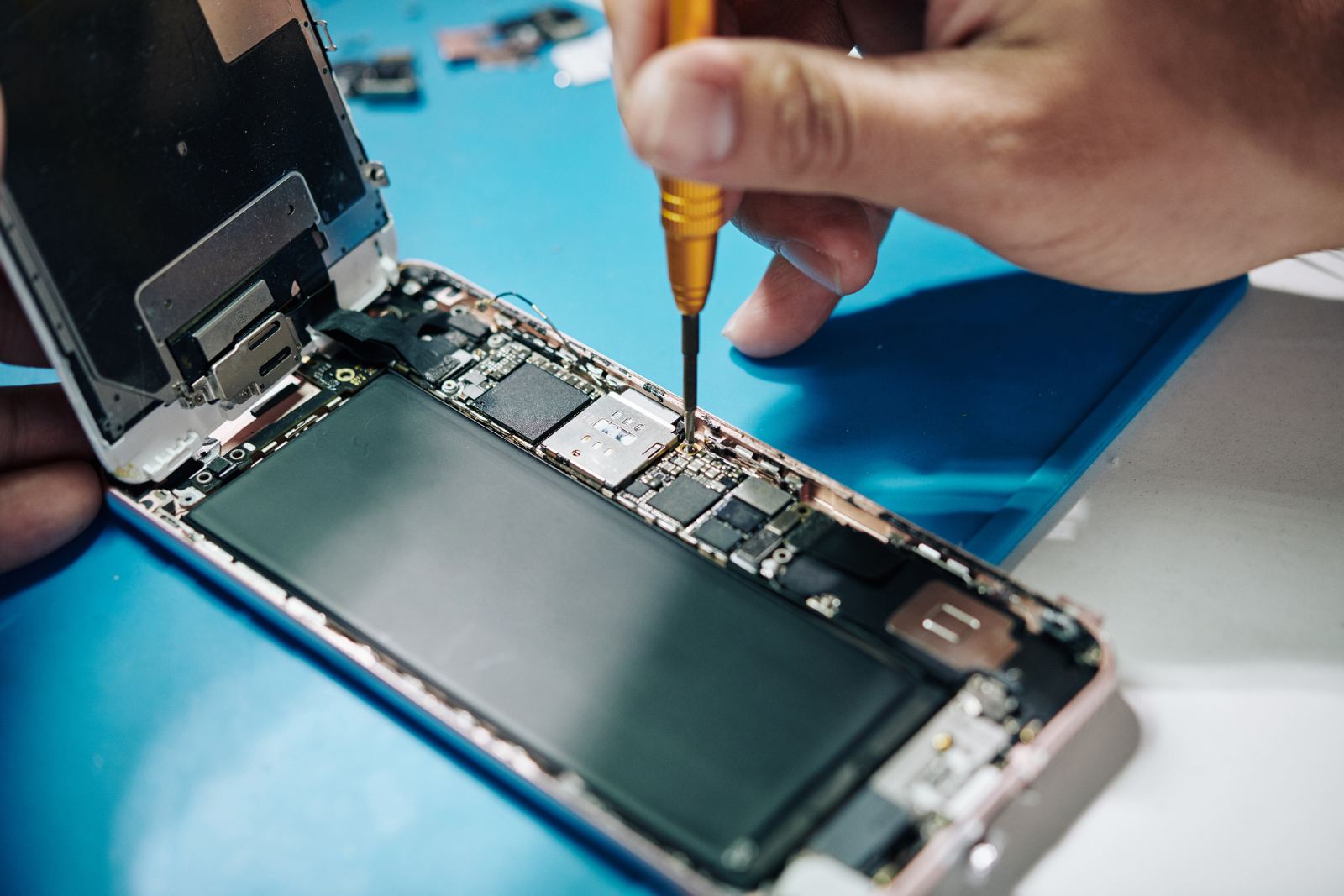
If your phone won't turn on, the cause in most cases is a deeply discharged battery, a frozen system, a faulty screen or a problem with the charging port or power adapter. You can narrow down 5 of the 8 most common causes yourself with a force restart, the right charging attempt and a simple call test, before a device needs to go to the workshop.
“My phone won't turn on, is it broken now?” We hear this question in our 3 Hamburg stores almost every day. The honest answer in many cases: not yet. A black screen doesn't automatically mean the smartphone is dead. Often the device even keeps running in the background, only the picture is missing. This guide takes you step by step through all the causes, with the right button combinations for iPhone, Samsung and Google Pixel, and shows you clearly when it's worth taking your phone to the workshop.
Why won't my phone turn on?
A phone won't turn on when no power reaches the system, when the operating system freezes during startup, or when the screen shows no picture even though the device is running. Power is missing with an empty or faulty battery and with charging problems, the system freezes after updates or when storage is full, and the picture is missing with screen damage.
These 3 groups are the key to troubleshooting. Each group shows typical signs. A device without power reacts to nothing at all: no vibration, no sound, no charging symbol. A frozen system often still shows the manufacturer logo or restarts in a loop. A screen fault gives itself away when the phone rings, vibrates or plays notification sounds while the screen stays black.
From our workshop in Hamburg we know: many devices that come to us as “dead” are really just deeply discharged or stuck in a software error. A genuine hardware fault is rarer than most people fear. That's why it pays to work through the checklist below calmly before you start thinking about a new device.
Phone won't turn on: the 8 most common causes in 2026
The order follows frequency and effort: at the top, the causes you can rule out yourself in a few minutes; at the bottom, the clear workshop cases.
1. The battery is deeply discharged
A lithium-ion battery that has run completely flat needs a while after being plugged in before the phone reacts at all. In this state the charging electronics first charge very gently so that the cells don't get damaged. During this phase the screen often stays completely black, and the charging symbol doesn't appear straight away either. If you give up after a minute, you'll think the device is broken, even though it only needs time.
This case is typical after long storage, after a holiday without a charger or with older batteries that discharge faster. The solution: charge the phone with a working power adapter for at least 30 minutes, without trying to switch it on in between.
2. The system has crashed
Smartphones are computers, and computers sometimes freeze. After an update, with full storage or because of a faulty app, the system can get stuck in a state where the screen is off and the device doesn't respond to any button press. In that case the normal power button won't help, while a force restart will. You'll find the button combinations for the main manufacturers further down.
3. The power adapter, cable or charging port is faulty
An empty battery only charges when power actually gets through. A cable that's broken on the inside, a power adapter that's too weak or lint in the charging port interrupts charging. The phone then stays empty and seems broken, even though the fault lies outside it. So always test a second cable and a second power adapter. How to check and clean the charging port is explained in our guide Phone not charging? 9 causes and what you can do now.
4. The screen is faulty
After a drop, the screen can fail without the glass being visibly cracked. With OLED displays, a knock on the corner is sometimes enough for the panel to come loose inside or for a connector cable to slip. The phone then keeps running but shows no picture. A clear sign: calls come in, the device vibrates, alarms ring. More on this in the section on the black screen.
5. The battery is worn out or faulty
Every battery ages. After a few hundred charge cycles the capacity drops noticeably, and a heavily aged battery can no longer deliver the short peak currents needed when switching on. The phone then won't start at all or switches off again right after the logo. A warning sign is sudden shutdowns at 20 or 30% remaining charge in the weeks before. A swollen battery also pushes the screen or the back outwards and needs to be checked by a workshop immediately.
6. Cold or heat
Lithium-ion batteries don't like extremes. Apple specifies an ambient temperature of 0 to 35 degrees Celsius as the operating range for iPhones. In freezing winter weather or after hours in a hot car, a phone switches itself off for protection and only starts again once it has reached room temperature. Let the device acclimatise slowly, never on the radiator and never in the fridge.
7. Liquid damage
Water, coffee or rain can cause short circuits on the logic board. Sometimes the device fails immediately, sometimes only days later when corrosion attacks the circuit tracks. If your phone won't turn on after contact with liquid, you should never charge it. What matters now is covered in our guide Phone dropped in water? 7 immediate steps that can save your phone.
8. Fault on the logic board
The rarest case, but possible: a component on the main logic board, such as the charging chip or the power supply, has failed. This happens after drops, overvoltage from cheap power adapters or liquid damage. Only a workshop with measuring equipment can reliably identify this case.
What to do if your phone won't turn on? The immediate checklist
If your phone won't turn on, first charge it for at least 30 minutes with a working power adapter, then force a restart with the button combination and use a call to check whether the device is running in the background. These 3 steps resolve most cases without a workshop.
Work through the list in exactly this order. Each step rules out one cause, and you won't waste time on measures that only make sense later.
- Charge with a different power adapter and cable. Use a power adapter that is proven to work with another device and plug it straight into the wall socket, not into a USB port on a laptop.
- Wait at least 30 minutes. With a deep discharge, the charging symbol often only appears after a while. Don't keep pressing the power button during this phase.
- Force a restart. Use your manufacturer's button combination while the device is connected to power.
- Do the call test. Call your phone from another phone. If it rings or vibrates, the system is running and the screen is the suspect.
- Check the charging port. Shine a torch into it. If there's a grey pad of lint in there, no power gets through.
- Test wireless charging. If your phone supports wireless charging, place it on a charging pad. If it charges that way, the charging port is the problem.
- Check the temperature. If the device feels very cold or very hot, let it rest at room temperature and then try again.
If the phone still won't start after these 7 steps, there's most likely a hardware fault: battery, screen, charging electronics or logic board. A diagnosis in the workshop is then the most sensible next step.
How do I force restart an iPhone, Samsung or Pixel?
You trigger a force restart with a fixed button combination that depends on the manufacturer: on the iPhone from model 8 onwards, press volume up, then volume down, then hold the side button; on Samsung, hold volume down and the side button at the same time; on the Google Pixel, hold the power button for about 30 seconds. No data is deleted in the process.
A force restart cuts off the frozen system hard and starts it again. It's the most important tool for a phone that doesn't respond, and it's harmless to your photos, chats and contacts.
iPhone 8 and later (including iPhone SE 2nd generation and later)
- Press and quickly release the volume up button.
- Press and quickly release the volume down button.
- Press and hold the side button until the Apple logo appears. This can take a few seconds, so don't let go before then.
iPhone 7 and iPhone 7 Plus
Press and hold the volume down button and the Sleep/Wake button at the same time until the Apple logo appears.
iPhone 6s and earlier, iPhone SE (1st generation)
Press and hold the Home button and the Sleep/Wake button at the same time until the Apple logo appears.
Samsung Galaxy
Press and hold the volume down button and the side button at the same time. Samsung specifies more than 7 seconds for this. The device vibrates briefly and restarts as soon as the Samsung logo appears.
Google Pixel
Press and hold the power button for about 30 seconds. If nothing appears after that, charge the Pixel for 30 minutes and repeat the process.
A tip from the workshop: do the force restart while the phone is connected to the charging cable. That way the system definitely has enough power to start, even if the battery is almost empty.
Phone stays black? We'll find the cause.
Bring your device to one of our 3 stores in Hamburg without an appointment: Grindelhof 7, Lange Reihe 2 by the central station (Hauptbahnhof) or Ballindamm 40 in the Europa Passage. Free diagnosis, fixed price before the repair.
Phone on, but screen black: what does it mean?
A phone with a black screen that still rings, vibrates or plays sounds almost always has a screen fault, with no battery or system problem behind it. The device is running, only the picture isn't getting through. The cause is usually drop damage to the panel or a loose display cable.
The call test from the checklist is crucial here. If the phone rings, the diagnosis is already half done. Also look out for these signs:
- Faint glow in the dark: On the LCD screens of older iPhones and budget Android models, the backlight can fail. In a darkened room, with a torch shining at an angle onto the glass, you can then sometimes still faintly see the icons.
- Green or white lines: Individual stripes before complete failure point to a damaged OLED panel.
- Black spots that grow: A typical sign of pressure damage in the OLED display. They often spread over days until the picture disappears completely.
- Touch still responds: Sometimes you can unlock the phone blind, for example with Face ID, and use Siri or Google Assistant by voice.
Important for your data: if the phone is running in the background, it often keeps syncing with iCloud or Google. So keep it charged and connected to Wi-Fi until you bring it in for repair. A screen replacement doesn't delete any data. You'll find an overview of the process and prices on our page Screen repair Hamburg; screen repair with us starts from €39, depending on the model.
iPhone won't turn on: what's specific to Apple
With the iPhone, 3 Apple-specific cases are added: the iPhone is stuck on the Apple logo in a boot loop, it only shows a cable symbol with a computer, or it stays black after a failed update. For all 3 cases there's recovery mode via a Mac or Windows PC.
iPhone stuck on the Apple logo
If the Apple logo appears, disappears and appears again, the iPhone is stuck in a boot loop. Common triggers are an interrupted update, almost full storage or a weak battery that gives out during startup. First try the force restart while connected to the charging cable. If that doesn't help, recovery mode is the next step.
Recovery mode: Update before Restore
Connect the iPhone by cable to a Mac (Finder) or a Windows PC (Apple Devices app or iTunes), then perform the button combination for the force restart. Keep holding the last button until the symbol with a computer and cable appears on the iPhone. On the computer you then have 2 options:
- Update: reinstalls iOS and keeps your data. Always choose this option first.
- Restore: erases the iPhone completely. Only useful if you have a recent backup and Update didn't work.
iPhone shows a black screen but vibrates
The same applies here as above: the system is running, the screen is faulty. With iPhones after a drop, this is one of the most common cases in our workshop.
Keep an eye on battery health
Once your iPhone starts again, it's worth checking Settings > Battery > Battery Health & Charging. If the maximum capacity is below 80%, a battery replacement is the best way to prevent further failures. We offer the Battery replacement Hamburg service from €29, depending on the model.
Samsung phone won't turn on: what's specific
A Samsung Galaxy that won't turn on can in many cases be rescued with a force restart using the volume down and side buttons. If the device stays black, safe mode and the recovery menu help narrow things down further before a hardware fault comes into question.
Safe mode
If the Galaxy starts but keeps crashing, a faulty app may be to blame. In safe mode, only the preinstalled apps run. Turn the device off, turn it on again and hold the volume down button as soon as the Samsung logo appears. “Safe mode” then appears in the bottom left. If the phone runs stably like this, uninstall the most recently installed apps one by one.
Samsung stuck on the logo
If the Galaxy hangs on the logo, clearing the cache via the recovery menu often helps. The button combination for this differs depending on the model generation. Important: never select “Wipe data/factory reset” in the recovery menu if you don't have a backup, as that deletes all data irreversibly.
Soldered charging port on A models
On some lower-priced Samsung models, the charging port sits directly on the main logic board. If it's faulty, the battery stops charging and the device stays empty. The repair is then more complex than on models with a plug-in flex cable. You'll find more about the charging port on our page Charging port repair Hamburg.
Phone won't turn on after an update: what to do?
A phone that won't start after an update has usually gone through an interrupted installation or had too little battery during the process. Charging, a force restart and, on the iPhone, recovery mode with the “Update” option bring the system back in most cases without data loss.
Updates rewrite large parts of the operating system. If the process is interrupted because the battery runs out, the connection drops or the storage is full, an incomplete system is left behind. The phone then hangs on the logo, restarts in a loop or stays completely black.
- Charge first: Connect the device to a working power adapter for at least 30 minutes before you try any further steps.
- Force a restart: Often the system completes the installation by itself after a hard restart.
- iPhone: In recovery mode on the computer, choose “Update”. iOS is reinstalled and your data is kept.
- Android: Many manufacturers offer the option to clear the cache in the recovery menu. This doesn't delete any personal data.
- No factory reset without a backup: A reset erases everything. Only take this step if you're certain a recent backup exists.
If the phone still won't turn on after that, the update may have finally overwhelmed a battery that was already weakened. A battery that can no longer deliver the peak load during a restart shows up in exactly these moments. The diagnosis clarifies whether software or hardware is the cause.
Can my data still be saved if my phone won't turn on?
In most cases, yes. Photos, chats and contacts are kept on the storage chip, and it generally survives battery, screen and charging faults undamaged. As soon as the device starts again after the repair, the data is back. Even after liquid damage, the storage can often still be read.
What matters is what you do until the repair. These rules protect your data:
- No factory reset as long as you're not sure a backup exists.
- On the iPhone in recovery mode, always choose “Update”, never “Restore” first.
- No charging attempts after water contact, because power on a wet logic board causes the actual damage.
- Check your backup: On another device you can see under iCloud or Google One when the last backup ran.
During our repairs we don't delete any personal data and we don't reset your device. We still always recommend a backup as soon as the phone is working again.
When does the phone need to go to the workshop?
Your phone belongs in the workshop if it still stays black after 30 minutes of charging with a working power adapter and a force restart, if it rings but shows no picture, if the battery is swollen, or if it failed after contact with liquid.
The following overview shows which sign points to which cause and what the next step is.
| Sign | Likely cause | Next step |
|---|---|---|
| No reaction, no charging symbol | Deep discharge or charging problem | Charge for 30 minutes, different power adapter |
| Rings, screen black | Screen faulty | Screen repair |
| Logo appears, then switches off | Weak battery or frozen system | Restart on the cable, otherwise battery replacement |
| Boot loop on the logo | Software error | Recovery mode, “Update” |
| Screen or back is bulging | Swollen battery | Stop charging, take it to the workshop immediately |
| Failed after water contact | Liquid damage | Don't charge, water damage diagnosis |
A word on DIY repairs: on modern smartphones the battery and screen are glued in, and the flex cables are wafer-thin. If you open the device without experience, you risk a damaged screen, a punctured battery or a torn-out connector. A battery that gets damaged while opening the phone can heat up severely. This part is best left to the workshop.
Phone won't turn on: diagnosis and repair in Hamburg at iSmart Repair
At iSmart Repair in Hamburg, we check a phone that won't turn on free of charge and without an appointment in one of our 3 stores. We find out whether the battery, screen, charging port or logic board is affected and tell you the binding fixed price before we start the repair.
We've been repairing smartphones, tablets and MacBooks in Hamburg since 2014. The process is deliberately simple:
- Drop in without an appointment. Grindelhof 7 in Rotherbaum (Mon to Sat, 10:00 to 18:00), Lange Reihe 2 in St. Georg by the central station (Mon to Sat, 10:00 to 20:00) or Ballindamm 40 in the Europa Passage (Mon to Sat, 10:00 to 20:00).
- Free diagnosis. We measure the battery, charging electronics and screen and find the actual cause.
- Fixed price before the repair. You find out what will be done and what it costs. We only get started once you agree.
- Repair with warranty. With our Warranty Plus you get 6, 12 or 24 months of warranty, depending on the part.
The most common repairs for a phone that won't turn on are battery replacement from €29, screen repair from €39 and charging port repair, each depending on the model. After contact with liquid, water damage repair starts with a diagnosis from €39.
Can't make it into the city centre? Our pickup and mail-in service collects your device anywhere in Hamburg free of charge and brings it back repaired. You'll find all addresses and opening hours in the store overview.
6 tips to help your phone start reliably
Many failures give advance warning or can be avoided with simple habits. These 6 tips reduce the risk significantly:
- Don't regularly let the battery run down to 0%. Deep discharge stresses the cells. Recharge at 20% at the latest.
- Check battery health. Below 80% maximum capacity, the risk of sudden shutdowns rises.
- Use certified power adapters. Cheap chargers without a safety mark can damage the charging electronics.
- Only install updates with enough battery. At least 50% or connected to the charging cable, so that no update gets interrupted.
- Don't fill your storage completely. A few gigabytes of free storage help the system during startup and updates.
- Use a protective case and tempered glass. They absorb many drops that would otherwise damage the screen.
Frequently asked questions
Why has my phone suddenly stopped turning on?
Usually the battery is deeply discharged, the system has frozen or the screen has failed while the device keeps running. Charge the phone for at least 30 minutes with a working power adapter, force a restart and call it from another phone to narrow down the cause.
What should I do if my phone won't turn on and won't charge?
Test a different cable and power adapter, shine a torch into the charging port and try wireless charging if your device supports it. If it charges wirelessly, the charging port is faulty. If it doesn't charge at all, the battery or charging electronics are the most likely cause.
How long do I need to charge a deeply discharged phone?
At least 30 minutes before you try to switch it on. With a deep discharge, the electronics first charge very gently, which is why the charging symbol often appears with a delay. If nothing at all appears after an hour on a working power adapter, there's a fault.
My phone vibrates but the screen stays black. What's broken?
In almost all cases the screen. The device is running, only the picture isn't getting through, often after a drop. A screen replacement fixes the problem, and your data stays on the device.
Will I lose data with a force restart?
No. A force restart only restarts the system and doesn't delete any photos, chats or contacts. Data is only lost with a factory reset or when restoring an iPhone without a backup.
How much does the repair cost if my phone won't turn on?
That depends on the cause. At iSmart Repair in Hamburg, battery replacement costs from €29 and screen repair from €39, depending on the model. We'll give you the binding fixed price after the free diagnosis, before we repair.
Is a repair worth it for an older phone?
Often, yes. A new battery or a new screen usually costs only a fraction of a new device, and your data is kept. After the diagnosis you can decide in your own time whether to go ahead with the repair.
Can I have my phone picked up?
Yes. Our pickup service is free throughout Hamburg. We collect your device, repair it in the workshop and bring it back to you. Alternatively, you can come to one of our 3 stores without an appointment.
Bottom line: A phone that won't turn on is rarely a write-off. Charging, a force restart and the call test resolve most cases quickly. If the screen still stays black after that, the free diagnosis at iSmart Repair in Hamburg finds the cause, with a fixed price before the repair and without data loss.
Last updated: October 2026 · iSmart Repair Hamburg · Grindelhof · Lange Reihe · Europa Passage
- Battery
- Screen
- Guide
- Hamburg
Calculate the price for your device
Choose your model and repair and you will see the fixed price instantly. No appointment needed in Hamburg.
Your price in 3 steps
Choose brand, model and repair to see the price, time and warranty.
Good to know
- Done fast: Whatever the repair, your device is usually ready in 30 to 60 minutes.
- Your data stays safe: Don't worry, your data stays on your phone with every repair. We never delete personal data and we never reset your device.