
Cracked Phone Screen? What You Should Do Now
Cracked phone screen? What to do in the first few minutes, what kind of damage you have, whether you can keep making calls and what a screen repair costs.
iSmart Repair Hamburg · 28 October 2026
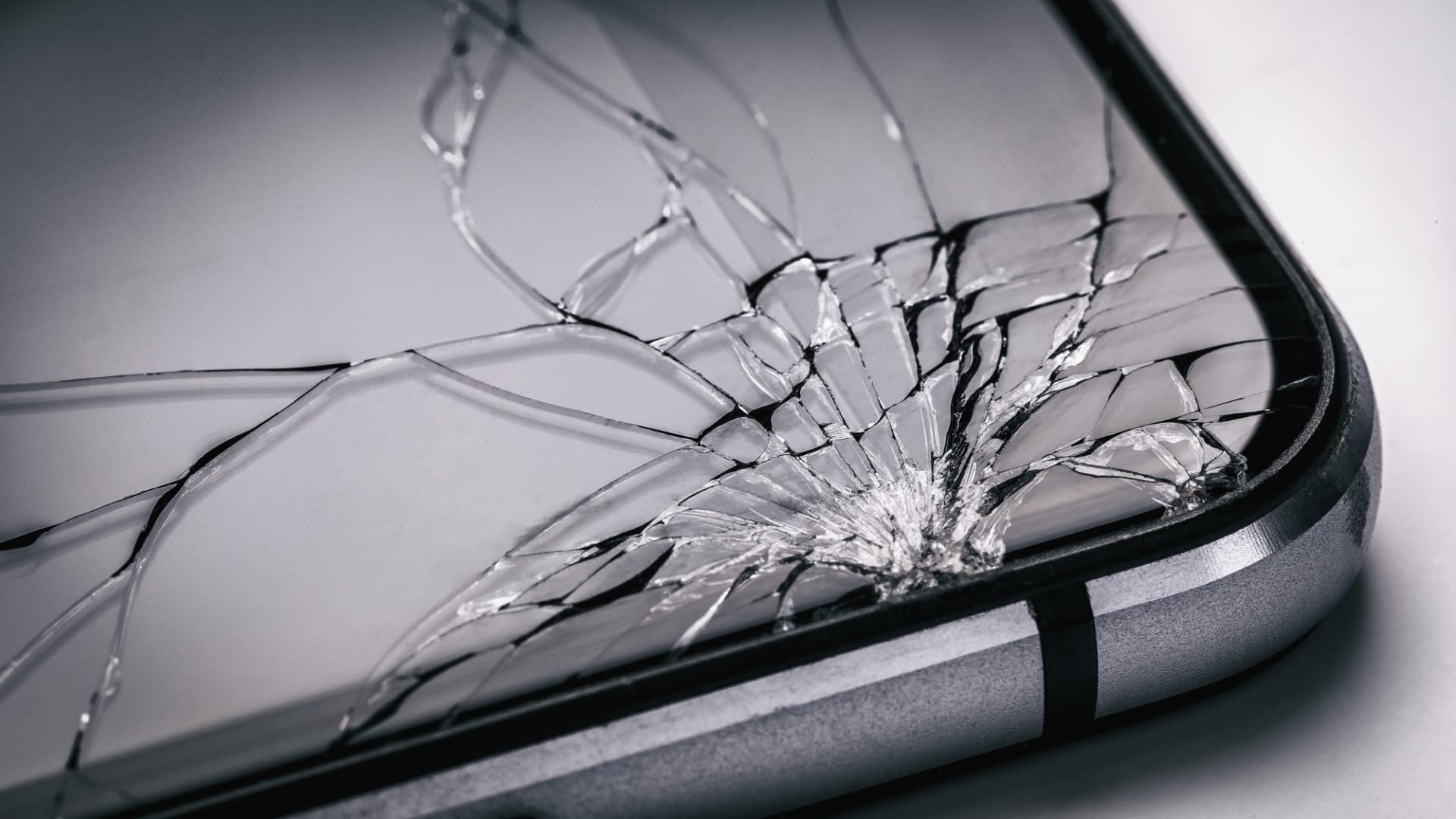
If your phone screen is cracked, first cover the break with clear adhesive film to stop splinters, make a backup and check whether touch and picture still work. Get a cracked screen replaced soon, because cracks spread, moisture gets in and the device loses its water resistance. In Hamburg, screen repair at iSmart Repair starts from €39, depending on the model.
A moment of carelessness, a fall onto the pavement, and the glass is covered in cracks. The cracked screen is the classic phone damage and the most common reason for a visit to our 3 Hamburg stores. Many people then ask themselves: Can I still use the phone? Does it need to be repaired straight away? And is the repair even worth it? This guide answers every question in order, from the first few minutes after the fall to choosing the right repair.
Cracked phone screen: what to do in the first few minutes?
Straight after a screen breaks, stick clear adhesive film or a piece of parcel tape over the cracks so that no splinters come loose and your fingers are protected. Then back up your data, keep the device away from moisture and avoid pressing on the break.
The first few minutes decide whether glass damage turns into bigger damage. Work through these 6 steps in order:
- Add splinter protection. Stick clear adhesive film or wide tape smoothly over the cracks. This protects your fingers and holds loose splinters in place.
- Make a backup. While the picture and touch still work, back up your photos and chats via iCloud, Google or on a computer. After a fall, a screen can also fail completely hours later.
- Check the screen protector. If you have a protective film or a tempered glass screen protector, check whether only that has cracked. Run your fingernail over the edge of the protector: if the screen underneath is smooth, a new screen protector is all you need.
- Avoid moisture. Cracks cancel out the water resistance. No rain, no bathroom, no wet hands.
- Do not apply pressure. Do not tap hard on the break and do not put the phone in a tight trouser pocket. Pressure makes cracks grow and damages the panel underneath.
- Watch out for heat and bulging. If the device gets unusually warm after the fall or the screen bulges, the battery may be damaged. In that case do not charge it and have it checked soon.
What kind of screen damage do you have?
Screen damage can be divided into 5 stages: a crack in the glass only, a crack with faulty touch, stripes or lines in the picture, black or coloured spots and a completely black screen. From the second stage onwards, the damage reaches beyond the glass into the display underneath.
The following overview helps you classify the damage.
| Sign | Affected | Urgency |
|---|---|---|
| Cracks, picture and touch normal | Cover glass | Repair soon, cracks grow |
| Touch partly unresponsive | Touch layer | Soon, operation becomes unreliable |
| Green, white or coloured lines | Display panel | Soon, total failure often follows |
| Black spots that grow | OLED panel | Soon, the spot spreads |
| Screen black, phone rings | Display or connection | Immediately, operation impossible |
| Touch reacts by itself | Touch layer | Immediately, ghost touches trigger actions |
Particularly tricky are so-called phantom touches, known as ghost touch: the screen reacts to touches that are not happening. Apps open by themselves, messages get typed or calls get started. In this case, switch the device off when you do not need it and take it in for repair soon.
Can I keep making calls with a cracked screen?
With a cracked screen you can often keep making calls for a while, as long as touch and picture work and no splinters stick out. It is no long-term solution, because cracks spread, moisture and dirt get in and the risk of injury from glass splinters increases.
At first, a crack in the glass is a cosmetic problem. Yet every time you put the phone in your pocket or knock it lightly, the glass flexes. This is how a small crack in the corner often turns into a spider web across the whole screen within a few weeks. On top of that come 3 risks that many people underestimate:
- Moisture: Moisture gets into the device through cracks, even on models with IP68 protection. Water damage is considerably more expensive than a screen replacement.
- Injuries: Fine glass splinters can get into your fingers and face, especially when you hold the phone to your ear during a call.
- Knock-on damage to the panel: Pressure on cracked glass is passed on to the sensitive panel underneath. Then lines, spots or a black screen follow.
Our recommendation from the workshop: a crack without further symptoms can wait a little; just do not leave it for months. Protected with adhesive film, you can safely bridge the time until the repair.
Is only the screen protector broken, or the screen itself?
You can tell whether only the tempered glass protector or the screen itself has cracked by looking at the edge of the protector: if the crack runs up to the edge of the tempered glass and the surface underneath is smooth, only the protection has broken. If the crack continues past the edge into the screen or the picture shows faults, the screen is damaged.
A tempered glass screen protector is a separate, thin pane of glass stuck onto the screen. This is exactly what it is made for: in a fall, the protector breaks and absorbs the impact. Here is how to check in 3 steps:
- Feel for the edge. Run your fingernail over the edge of the screen. If you feel a step, a screen protector is fitted.
- Hold it against the light. Hold the phone at an angle against a lamp. If the cracks lie in a layer above the picture, they are usually in the protector.
- Carefully peel off the protector. Start with a fingernail at an undamaged corner and peel it off slowly. If the screen underneath is intact, a new screen protector is all you need.
If there are cracks under the removed protector as well, or the picture shows stripes and spots, the screen itself is affected. Then replacing the display unit is the right way to go.
Rescuing your data when touch stops responding
If touch no longer responds after a screen break, you can often still get to your data via a computer the phone already trusts, or via a mouse connected to an Android phone. If that does not work, the data stays on the device and is fully back after the screen replacement.
With a broken screen, many people fear for their photos and chats. Your data actually lives on the storage chip, separate from the screen, so screen damage does not make it disappear. If you still want to make a backup before the repair, these are your options:
- iPhone on a known computer: If you have connected your iPhone to your Mac or PC before and trusted the computer, you can start a backup via the Finder or the Apple Devices app.
- iCloud Backup: If iCloud Backup is switched on, the iPhone backs up automatically as soon as it is connected to power and Wi-Fi. Leave it charging overnight for this.
- Android with a mouse: On many Android devices you can connect a mouse via a USB-C adapter and use it to unlock and operate the phone.
- Google Account: Photos in Google Photos and backups in your Google Account can be accessed on another device at any time.
If none of these options works, that is no problem for the repair. We replace the screen without resetting the device, and your data is back afterwards.
Cracked iPad screen: what is different?
On the iPad and other tablets, the display and glass are either bonded together or built separately, depending on the model. On older and more affordable iPad models, often only the touch glass can be replaced; on the iPad Pro, iPad Air and newer models, the complete display unit is usually replaced.
Tablets have larger glass surfaces and therefore often break at the corners after a fall from the sofa or the table. The same applies here: stick on splinter protection, make a backup and stop putting the device under pressure, for example in a tight bag. You can find out which repair is right for your model and what it costs on the page iPad repair in Hamburg.
Replace only the glass or the whole screen?
On most modern smartphones, the cover glass, touch layer and display panel are firmly bonded together. That is why the complete display unit is usually replaced, even if only the glass has cracked. Replacing the glass alone is technically complex, carries risks for the panel and is only worth it in exceptional cases.
In the past, a smartphone screen consisted of separate layers, and the glass could be changed on its own. Today, bonding makes for a thinner device, a more brilliant picture and better touch accuracy. The downside: glass and display form a single unit. Replacing the complete unit is therefore the standard in reputable workshops.
Depending on the model, there are different quality levels for the replacement screen. The differences lie mainly in brightness, colour reproduction, power consumption and price. You can see which levels are available for your model in the price calculator at the bottom of this page. In the store we explain the differences before the repair so that you can decide at your own pace.
LCD or OLED: why it makes a difference
Older iPhones and many cheaper Android phones have LCD displays with a backlight. Newer iPhones and most Samsung Galaxy models use OLED displays, where every pixel lights up by itself. OLED displays show deeper blacks and stronger colours, but are more sensitive to pressure and usually more expensive as a spare part. Black spots after a fall are a typical sign of OLED damage.
Screen cracked? Screen repair in Hamburg from €39.
No appointment needed at one of our 3 stores: Grindelhof 7, Lange Reihe 2 by the central station (Hauptbahnhof) or Ballindamm 40 in the Europa Passage. Free diagnosis, fixed price before the repair, your data stays on the device.
Cracked iPhone screen: what you need to know
With the iPhone, there is one important point to know after a screen break: from the iPhone 11 onwards, iOS shows a notice in Settings after a display that does not come from Apple has been fitted, and individual features such as True Tone may be limited. Calls, apps and operating the iPhone remain fully available.
The “non-genuine display” notice
Since the iPhone 11, iOS checks whether the installed display is an original Apple part. If it is not, a corresponding notice appears under Settings > General > About. According to Apple, individual features may then be limited, for example True Tone or automatic brightness. Calls, apps, camera and Face ID are not affected, as long as the sensors at the top remain undamaged.
Face ID after the fall
If Face ID stops working after a fall, the cause usually lies with the sensors in the notch or the Dynamic Island, and the screen itself is rarely to blame. Let us know when you drop off your phone, and we will check this before the repair.
Your data during the screen replacement
Replacing an iPhone screen does not delete any data. We do not reset the device and do not need access to your content. For the function test after the repair, it helps if you know the passcode or briefly unlock the phone yourself in the store.
Samsung and Android: what to know about OLED
On Samsung Galaxy and other Android phones with an OLED display, black spots, green lines and a permanently green or purple screen are the typical results of a fall. On many Galaxy models the display is also joined to the frame, which makes the replacement more complex than on many other models.
Samsung fits curved or very thin displays in many models. These are particularly prone to breaking at the edges. Another point: on many Galaxy models, the fingerprint sensor sits under the display. After a screen replacement, your fingerprint therefore usually has to be set up again. This only takes a moment, but you should plan for it.
The same applies to Google Pixel, Xiaomi and other Android manufacturers. Prices vary greatly depending on the model, because display technology ranges from simple LCD panels to high-resolution OLED displays with a high refresh rate.
Scratches on the screen: polish or replace?
Fine scratches on a phone screen affect neither touch nor picture and do not need to be repaired. Deep scratches that you can feel with your fingernail, on the other hand, weaken the glass and can become the starting point of a crack in a later fall. Polishing with toothpaste or home remedies does not remove scratches and can damage the coating.
Modern screen glass has an oil-repellent coating that reduces fingerprints. Abrasive home remedies such as toothpaste or baking powder wear away exactly this layer. Afterwards the screen tends to look duller and picks up more fingerprints. A tempered glass screen protector is the better choice: it visually covers small scratches and protects the screen from new ones. A screen replacement is only worth it once scratches get in the way of your view or are very deep.
Screen broken after a fall: check the frame and back as well
After a fall onto a corner, the frame, back glass or camera lens glass is often damaged along with the screen. A bent frame can put the new screen under tension, and cracked back glass lets moisture in. That is why we check the whole housing with every screen repair.
After a fall, take a good look all the way around your phone. Pay particular attention to dents at the corners, cracks in the back glass and splinters in the glass over the camera lenses. Damaged camera lens glass leads to blurry photos and lets dust reach the lens. This damage can usually be fixed together with the screen. The matching pages are back glass repair in Hamburg and camera lens repair in Hamburg.
Replace the screen yourself or go to a workshop?
Replacing the screen yourself is risky on modern smartphones: the screen is glued in, opening it requires heat and special tools, and flex cables, battery and sensors sit directly underneath. Without experience, it is easy to cause knock-on damage that costs more than the actual repair.
On video platforms the replacement looks easy. In practice, there are 5 typical sources of error:
- Damaged battery: A pry tool in the wrong place can puncture the battery, which can lead to severe heat build-up.
- Torn flex cable: Display, touch and sensor cables are wafer-thin and tear easily.
- Lost sensors: Face ID, the proximity sensor or the speaker sit close to the display and are easily damaged.
- Water resistance gone: Without a new seal, the device is no longer protected against splashes after the repair.
- Wrong spare part: Screens bought online vary greatly in quality, and the differences often only show after installation.
In the workshop we work with special tools, check every spare part before installing it and test touch, picture, sensors, speakers and cameras after the repair.
How much does a phone screen repair cost?
What a screen repair costs depends on the model, the display technology and the quality level you choose. At iSmart Repair in Hamburg, screen repair starts from €39. Current flagship models with an OLED display are considerably higher. You get the binding fixed price before the repair.
These 4 factors determine the price:
- Model: Newer and larger models have more expensive screens.
- Technology: OLED is more expensive than LCD, and curved displays are more expensive than flat ones.
- Quality level: Depending on the model, there are different replacement screens at different prices.
- Additional damage: If the frame, back glass or camera is damaged as well, these repairs are added.
You can see the guide price for your model at any time in the price calculator at the bottom of this page or on the page screen repair in Hamburg. If the back has cracked as well as the screen, you will find the prices on the page back glass repair in Hamburg.
Is the repair worth it?
In the vast majority of cases, yes. A screen repair costs only a fraction of a new device, your data is kept, and you save yourself setting up a new phone. For very old models with several faults, we tell you honestly during the diagnosis whether the repair still makes financial sense.
Insurance and warranty
The statutory warranty (gesetzliche Gewährleistung) and the manufacturer's warranty usually do not cover damage from drops. If you have taken out phone insurance or extra cover, ask your provider before the repair which documents are needed.
Screen repair in Hamburg at iSmart Repair: how it works
At iSmart Repair in Hamburg, we repair cracked screens on iPhone, Samsung, Google Pixel, iPad and many other devices without an appointment in 3 stores. The diagnosis is free, we give you the fixed price before the repair, and with Warranty Plus you get 6, 12 or 24 months of warranty, depending on the component.
We have been repairing smartphones, tablets and MacBooks in Hamburg since 2014. This is how the screen repair works:
- Drop in without an appointment. Grindelhof 7 in Rotherbaum (Mon to Sat 10 am to 6 pm), Lange Reihe 2 in St. Georg by the central station (Mon to Sat 10 am to 8 pm) or Ballindamm 40 in the Europa Passage (Mon to Sat 10 am to 8 pm).
- Free diagnosis. We check the screen, touch, frame and sensors for knock-on damage.
- Fixed price and quality level. You choose the right replacement screen and find out the price before we start.
- Repair and function test. After installation, we test the picture, touch, cameras, speakers and sensors.
You will find current offers on screen repair on our home page. Can't make it to the city centre? Our pickup and mail-in service collects your device anywhere in Hamburg free of charge and brings it back repaired. You will find all addresses in the store overview.
Is your screen still completely black after the fall, and you are not sure whether the phone is running at all? Then the guide Phone won't turn on helps you narrow it down.
What to bring to your screen repair
For your screen repair, bring your phone, the unlock code or the option to unlock the device yourself after the repair, and ideally your case. At iSmart Repair you do not need an appointment, and your data stays on the device.
- Unlock code: For the function test after the repair, you briefly unlock the device yourself or tell us the code. This lets us fully check touch, cameras and sensors.
- Case: Bring your case so that you can test straight away whether everything fits. With every screen repair, a new tempered glass screen protector is also worth it.
- Details about the damage: Tell us how the damage happened and whether you have noticed anything else, for example when charging, with Face ID or with the camera.
- Backup, if possible: If the screen still works, back up your data beforehand. It is not required for the repair.
7 tips to keep your screen in one piece
Most screen breaks happen in everyday falls. These 7 measures reduce the risk considerably:
- Use a tempered glass screen protector. In many falls it absorbs the impact and breaks instead of the screen.
- Use a case with a raised edge. An edge that sticks out slightly above the screen protects it when the phone lands face down.
- Protect the corners. Most breaks start at a corner. Cases with reinforced corners absorb these falls.
- Keep it away from keys in your bag or pocket. Keys and coins scratch the glass, and scratches weaken it.
- Keep it out of your back pocket. When you sit down, the device bends, which puts strain on the glass and panel.
- Phone holder in the car and on the bike. A phone lying loose quickly falls into the footwell when you brake.
- Have cracks repaired early. A small crack is cheaper to fix than major knock-on damage.
Frequently asked questions
What should I do if my phone screen is cracked?
Stick clear adhesive film over the cracks, make a backup while picture and touch still work, and keep the device away from moisture. Then have the screen replaced soon, before the cracks spread or moisture gets in.
Can I keep using a phone with a cracked screen?
For a while, yes, as long as touch and picture work and no splinters stick out. It is not advisable in the long run, because cracks grow, the water resistance is gone and glass splinters can cause injuries.
How much does a phone screen repair cost in Hamburg?
At iSmart Repair, screen repair starts from €39, depending on the model and quality level. The price calculator shows the guide price, and we give you the binding fixed price in the store before the repair.
Is only the glass replaced during a screen replacement?
Usually not. On modern smartphones, the glass, touch layer and display are firmly bonded together, so the complete display unit is usually replaced. The result is more reliable than replacing the glass alone.
Will I lose data when the screen is replaced?
No. A screen replacement does not delete any data and the device is not reset. We still always recommend a backup, especially if the screen still works.
My screen has black spots. Can they go away by themselves?
No. Black spots on OLED displays are caused by pressure damage in the panel and usually keep spreading. Have the screen replaced soon, before it turns completely black.
Will Face ID still work after the screen replacement?
Yes, Face ID is retained during a screen replacement as long as the sensors at the top of the iPhone are undamaged. If Face ID already stopped working before the repair, we check the cause during the free diagnosis.
Do I get a warranty on the screen repair?
Yes. With our Warranty Plus you get 6, 12 or 24 months of warranty on the spare part and labour, depending on the component.
Can I have my phone with a cracked screen picked up?
Yes. Our pickup service is free anywhere in Hamburg. We collect your phone, replace the screen in the workshop and bring it back to you repaired. Cover the cracks with adhesive film beforehand so that no splinters come loose during transport.
What is the difference between cracked glass and a damaged screen?
With cracked glass only, the picture and touch keep working and just the cover glass is broken. With a damaged screen, the picture shows stripes or spots or stays black, or touch no longer responds properly. In both cases, the complete display unit is usually replaced on modern smartphones.
Bottom line: A cracked phone screen is annoying, but almost always easy to repair. Splinter protection and a backup cover the first few minutes, and a prompt screen replacement prevents knock-on damage from growing cracks and moisture. At iSmart Repair in Hamburg, you can do this without an appointment, with a free diagnosis and a fixed price before the repair.
Last updated: October 2026 · iSmart Repair Hamburg · Grindelhof · Lange Reihe · Europa Passage
- Screen
- iPhone
- Samsung
- Guide
- Hamburg
Calculate the price for your device
Choose your model and repair and you will see the fixed price instantly. No appointment needed in Hamburg.
Your price in 3 steps
Choose brand, model and repair to see the price, time and warranty.
Good to know
- Done fast: Whatever the repair, your device is usually ready in 30 to 60 minutes.
- Your data stays safe: Don't worry, your data stays on your phone with every repair. We never delete personal data and we never reset your device.